What's New in 2026
Powerful new features to supercharge your business
📱 Snap & Post Receipt Scanner
Say goodbye to manual data entry! Simply snap a photo of any receipt and our AI instantly extracts vendor details, dates, amounts, and line items. Works seamlessly with both Arabic and English receipts.
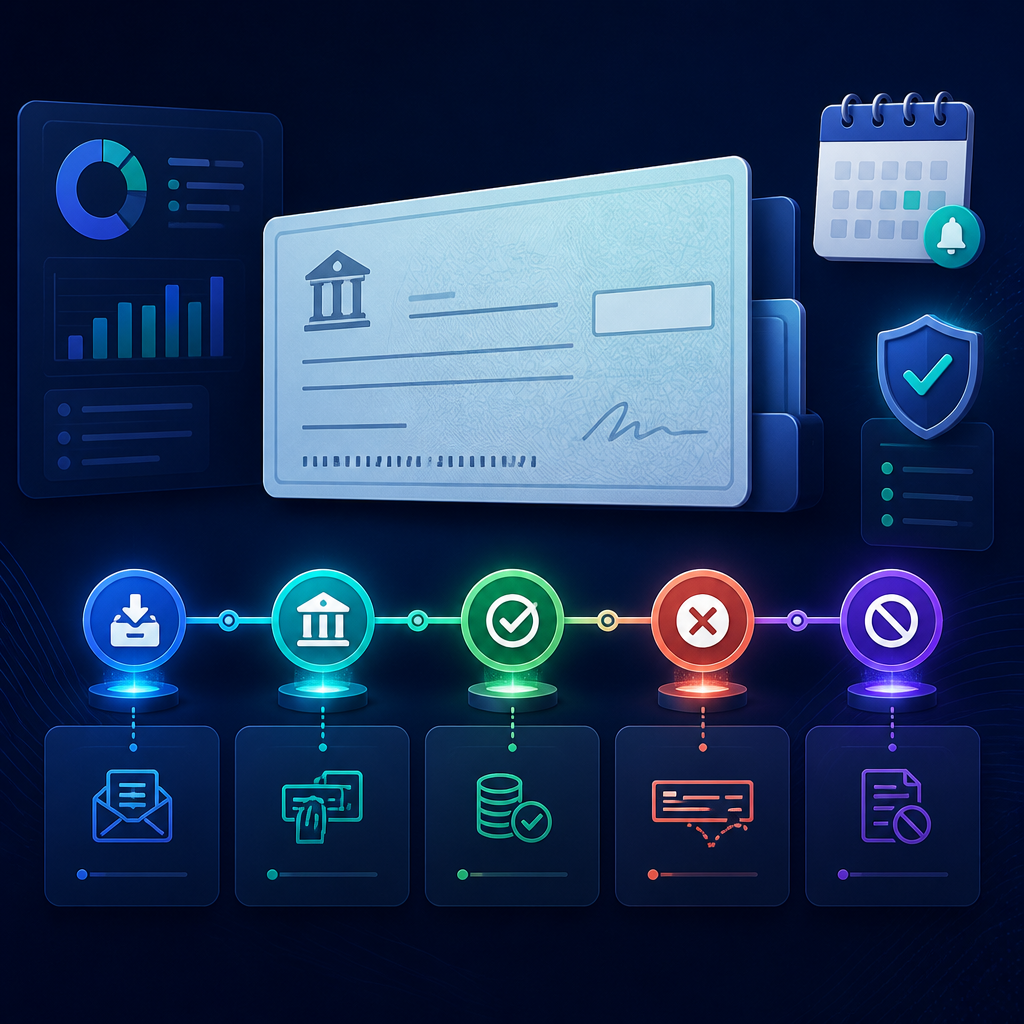
🧾 Smart Cheque Management
Manage the complete customer-cheque lifecycle in one place: record cheque details, track Received → Deposited → Collected → Bounced → Cancelled, keep customer balances unchanged until collection, and send configurable due-date reminders with a full audit trail.
📱 Online Menu & QR Code
Turn your item catalog into a shareable digital menu in seconds. APS instantly generates a unique link and QR code — customers scan it and see your menu with photos and prices, no app download, no login required.

📈 90-Day AI Cash Flow Forecast
Know where your cash will be before it gets there. APS reads your last 12 months of posted entries and projects inflows, outflows, and your net cash position 30, 60, and 90 days ahead — automatically. You get three forecast cards, a trend chart overlaying history with projections, and surplus/deficit flags. No setup, no spreadsheets.
🛠️ Daily-Wage Labor Payroll
Pay your daily workers exactly what they earned — down to the day. Set a daily rate on the contract and APS counts the actual days each worker was present in the payroll period and calculates gross pay automatically. Duplicates are handled as one day, journals post to the GL, and fixed-salary staff are unaffected. All countries and currencies supported.
📲 Install as Mobile App
Access your accounting system like a native app! Add to your home screen for instant access, enjoy faster loading, and stay connected in real time. No app store needed - install directly from your browser in seconds.
🤝 Partner Program
Join our growing network of partners and earn generous commissions on every referral. Start at 15% as a Registered Partner, grow to 20% as Silver, or reach 25% as a Gold Partner.
🤖 AI-Assisted Quick Transactions
Beginners no longer need to know debit/credit rules. Inside the quick transaction wizards, a new "Let the assistant choose" option lets users describe what happened in plain words (English or Arabic, with voice input) — the AI picks the correct accounts and fills in the entry, ready to review and record. It safely handles only simple two-account transactions and guides users to the full Journal Entry screen for anything more complex.
🧭 Simple Mode for Newcomers
A friendly, simplified interface for shop owners and non-accountants, with a streamlined sidebar, an onboarding checklist, and large one-tap action cards for common transactions (Cash Sale, Cash Purchase, Pay Expense, Transfer, Owner Investment, Owner Drawings). Users can switch between Simple and Advanced at any time, and the preference is remembered.
📊 Full Financial Overview in Every View
Your key numbers — Total Assets, Liabilities, Net Income, and Cash — plus the Assets vs. Liabilities and Financial Overview charts, and the stock alerts panel (negative, out-of-stock, and low-stock items) now appear on the dashboard in both Simple and Advanced modes, so important business information is always visible alongside the quick action cards.
🌍 Fully Bilingual & RTL
All of the above works seamlessly in both English and Arabic with proper right-to-left layout.
🔔 Push Notifications
Stay informed in real-time with browser push notifications. Administrators can broadcast important announcements, system updates, and alerts to all registered users instantly. Users can easily enable or disable notifications from their profile menu.
📊 Project Management Module
Track consultant billable hours and project time that feeds directly into payroll calculations. Create projects, log timesheets, mark entries as billable or non-billable, and sync with payroll for accurate variable pay.
Bill clients based on actual hours worked
Track time spent on customer projects
Monitor resource allocation across initiatives
📦 Packing Module
Generate professional packing slips for customer orders with item names, quantities, bale counts and weights. Full RTL/Arabic support and one-click PDF export directly from order view.
📊 Sales Orders & Invoices Report
Comprehensive reporting with filtering by date, status, and customer. Export filtered reports to PDF with full bilingual support. One-click conversion of customer orders to invoices.
📄 Proforma Invoice
Professional proforma invoice PDF generation with company bank details. Configure bank name, branch, account number, IBAN, and SWIFT code in company settings for seamless payment processing.
🔢 Unit Quantity System
Select units like "Bale20 (×20)" and the system auto-calculates pricing. Arabic unit names supported. All subtotals and totals correctly apply unit multipliers for accurate invoicing.
👤 Customer Auto-Fill
Customer details (country, phone, email, address, tax number) auto-fill when selecting a customer. Quick searchable dropdown by code, name, or phone for faster data entry.
💾 Backup & Restore
FEB 2026Secure data protection for your accounting and inventory. Export complete backups as JSON files and restore anytime. License-protected for security.
Companies, accounts, journals, inventory as JSON
Upload & validate backup for your license
USB, cloud storage for disaster recovery
Backups tied to your license key
🏷️ Automatic Pricing Strategy
FEB 2026Smart pricing engine that automatically calculates selling prices based on weighted average cost and your desired profit margin. No more manual price adjustments when costs change.
Example: Cost 100 + 20% margin → 100 / 0.80 = 125 selling price
Set desired profit % per item, auto-calculates price
Minimum margin prevents pricing below acceptable profit
Price recalculates when costs change from purchases
- Eliminates manual price updates across inventory
- Protects profit margins when supplier costs change
- Per-item control with granular margin settings
- Full audit trail for all automatic price changes
🌍 Export Documents & International Trade
FEB 2026Comprehensive international trade documentation module. Create Commercial Invoices, Proforma Invoices, Packing Lists, and Customer Orders with full lifecycle tracking, multi-currency support, and professional PDF export.
USD, EUR, GBP, INR, AED, SAR, KWD
IBAN, SWIFT auto-filled from company settings
Professional bilingual PDFs with RTL Arabic support
- One-click order to Commercial Invoice conversion
- Complete buyer details: GSTIN, PAN, IEC compliance
- Shipping logistics: HS Code, ports, container tracking
- Packing lines with seal numbers, weights, and bale counts
- Delivery terms support: FOB, CIF, EXW and more
🔧 Smart Order Workflow
Separate numbering for orders (ORD-) vs invoices (INV-). Smart print buttons show packing slip and proforma only for orders, while invoice/receipt appears for posted transactions. Comprehensive bilingual help documentation included.
ORD- for orders, INV- for invoices
Right buttons for right documents
Bilingual documentation for all features
📒 General Ledger Report
FEB 2026Comprehensive General Ledger report showing all transactions posted to each account in the chart of accounts. Filter by date range and account code range, with automatic opening/closing balance calculation and full PDF export with Arabic RTL support.
Filter transactions by start and end date for any period
Focus on specific account groups (e.g., assets 1000-1999)
Full Arabic RTL support for professional presentation
- Automatic opening balance from initial balance + prior transactions
- Individual transaction lines with date, reference, description, debit, credit & running balance
- Closing balance auto-calculated: Opening + Debits - Credits
📄 Statement of Account Report
FEB 2026Complete transaction history for any single account with running balance. Ideal for customer/vendor reconciliation, audit trails, and confirming outstanding account balances.
Select any account from the chart of accounts
Cumulative balance shown at every transaction line
Send to customers/vendors to confirm balances
- Opening balance calculated from initial balance + all prior transactions
- Complete audit trail of every debit and credit affecting the account
- Date range filtering for viewing activity over any specific period
🧾 Receipt Voucher: AR Support
FEB 2026Credit account dropdown now includes both revenue and asset accounts (such as Accounts Receivable). Properly record customer payment collections against outstanding invoices with smart debit account selection.
- Accounts Receivable support for proper AR collection workflow
- Smart debit: Bank transfers → Bank (1010), Cash → Cash (1000)
- Journal entries include actual account code and name in descriptions
✏️ Enhanced Journal Descriptions
FEB 2026Journal entries from inventory transactions now include actual account code and name. Instead of generic "Sales - TXN001", entries show "1100 - Accounts Receivable - TXN001" for easier auditing and tracing.
- Applies to purchases, sales, COGS, inventory, tax & discount entries
- Makes reviewing and auditing journal entries significantly easier
📊 Income Statement: Cost of Sales & Gross Profit
FEB 2026On-screen Income Statement now shows a dedicated Cost of Sales section with Gross Profit calculation, following GAAP/IFRS accounting standards for proper COGS separation.
Total Sales
Cost of Sales
Gross Profit
Expenses
Net Profit
- Dedicated Cost of Sales section for proper COGS tracking
- Gross Profit calculation: Total Sales minus Cost of Sales
- GAAP/IFRS compliant with proper expense categorization
📊 4 New Business Reports
FEB 2026Four powerful new reports with date filtering, PDF export with company logo, and full Arabic/RTL support for comprehensive business analysis.
Aggregated sales revenue overview with filtering by date range and customer
Detailed breakdown of sales grouped by customer with filtering options
Comprehensive purchase analysis grouped by supplier with date filtering
Tracks Quantity In, Quantity Out, and Running Balance for each inventory item
- All reports include PDF export with company logo and Arabic RTL support
- Smart contextual filters — filter by customer, supplier, or item
- Real-time running balances for accurate inventory tracking
📗 Excel Export for All Major Reports
FEB 2026Export any major report to Excel format alongside existing PDF export. All Excel exports support full bilingual labels (English/Arabic) with proper RTL layout for Arabic users.
Profit & Loss
Cash Flow
Budget vs Actual
Statement of Account
Customer Card
Stock Report
Sales Summary
Sales by Customer
Purchases by Supplier
Item Movement
📄 Professional PDF Reports
FEB 2026Fixed Arabic text rendering in PDF exports — characters now display correctly using the Amiri font. All PDF reports include your company logo for a professional branded appearance.
- Arabic text renders correctly — no more garbled or reversed characters
- Company logo displayed at top of every PDF report
- Amiri font for clear, readable Arabic output across all reports
📈 P&L COGS Classification
FEB 2026Profit & Loss report now correctly classifies Cost of Goods Sold accounts using plCategory field with intelligent fallback to keyword matching and parent account hierarchy for accurate gross profit.
- Smart COGS detection using plCategory, keywords, and parent accounts
- Accurate gross profit calculations for financial analysis
🔗 Customer-to-GL Account Linking
FEB 2026When a customer or supplier is selected in sales or purchase transactions, their linked General Ledger accounts are automatically populated, reducing manual data entry and errors.
- Auto-fills GL accounts when selecting customer or supplier
- Reduces manual entry errors and speeds up transaction posting
🎯 Contextual Report Filters
FEB 2026Each report now includes smart contextual filters for focused data analysis — customer-based reports filter by customer, supplier-based by supplier, and item-based by specific inventory item.
- Customer, supplier, and item-specific filtering per report
- Drill down into exactly the data you need for any analysis
↩️ Transaction Unposting
FEB 2026Fixed errors when unposting inventory transactions with improved error handling, better user feedback, and added missing translation keys for all unposting-related messages.
- Reliable inventory transaction reversal without errors
- Clear bilingual feedback messages during unposting process
💾 Default Accounts & Payment Terms
FEB 2026Sales transactions now support saving default accounts and payment terms, streamlining repetitive data entry for recurring transaction types.
- Save default GL accounts for recurring transaction types
- Pre-set payment terms to eliminate repetitive data entry
📚 Updated Help Documentation
FEB 2026Server-side help documentation exports (PDF and RTF) have been updated to reflect all new features, including the new sales, purchase, and inventory reports plus Excel export capabilities.
👤 Employee Delete with Cascade
FEB 2026Safely delete employees with full referential integrity. Automatically removes related records including contracts, payroll items, and timesheets.
- One-click employee removal
- Automatic cleanup of related payroll data
📊 Chart of Accounts Cleanup
FEB 2026Delete accounts from the Chart of Accounts when they have no transactions. Supports deleting master accounts with all their children if the entire tree is unused.
- Keep your financial structure clean
- Smart validation prevents deleting accounts with history
📄 Delete Employee Contracts
FEB 2026Delete specific contracts directly from the contracts page with a confirmation dialog. Perfect for managing historical or incorrect records.
- Better contract history management
- Simple deletion interface
🎯 Contract Fields Reorganization
FEB 2026Hourly rate and consultant status fields moved exclusively to the contracts page for better data organization and accurate tracking.
- Cleaner employee forms
- Accurate contract-based tracking
⚡ Automated Payroll Runs
FEB 2026A new dedicated interface to create and calculate payroll periods. Process salaries, bonuses, and deductions for your entire team in one place with a streamlined workflow from draft to final posting.
Define monthly or custom pay periods with start and end dates
Auto-calculate gross pay, deductions, taxes, and net salary for all employees
Review, approve, and post with automatic journal entry generation
- Process salaries, bonuses, overtime, and deductions in a single payroll run
- Draft → Calculated → Posted workflow with full audit trail
- Country-specific tax and social insurance calculations applied automatically
⚙️ Advanced Payroll Configuration
FEB 2026A comprehensive settings dashboard to define country-specific payroll rules for KSA, UAE, Egypt, USA, UK, and Germany — including working hours, overtime multipliers, and bank account mappings.
- Working hours, overtime rates, and weekend definitions per country
- Bank account mappings for salary disbursement and WPS compliance
- Social insurance and tax rule configuration with rate tables
🔗 Payroll–Accounting Integration
FEB 2026Fully activated the link between Payroll and your Chart of Accounts. When you post a payroll run, journal entries are automatically generated with proper debits and credits — no manual accounting needed.
- One-click journal entry generation from any posted payroll run
- Automatic GL account mapping for salary, tax, and insurance accounts
🌐 Payroll Bilingual Interface Fixes
FEB 2026Resolved 404 errors on payroll navigation links and activated full Arabic/English navigation across all payroll sub-pages. Every payroll screen now fully supports RTL layout and bilingual labels.
- All payroll sub-pages accessible with correct routing — no more 404 errors
- Full Arabic/English language switching across payroll dashboard, runs, settings, and reports
- RTL layout support for Arabic users with proper text alignment and mirrored UI
🔔 Push Notifications
FEB 2026Stay informed in real-time with browser push notifications. Administrators can broadcast important announcements, system updates, and alerts to all registered users instantly. Users can easily enable or disable notifications from their profile menu.
- Automatic cleanup of expired subscriptions
- Secure VAPID-based authentication
- Works on desktop and mobile browsers

📍 GPS Attendance System
FEB 2026Employee self-service attendance with mobile clock-in and clock-out. GPS automatically captures the employee's exact location, converts coordinates into readable street addresses, and displays them on the admin dashboard.
- Green pin for check-in location, red pin for check-out location on admin dashboard
- Automatic fallback — uses check-in location if clock-out location is unavailable
- Works on any mobile device using built-in GPS — no extra hardware needed
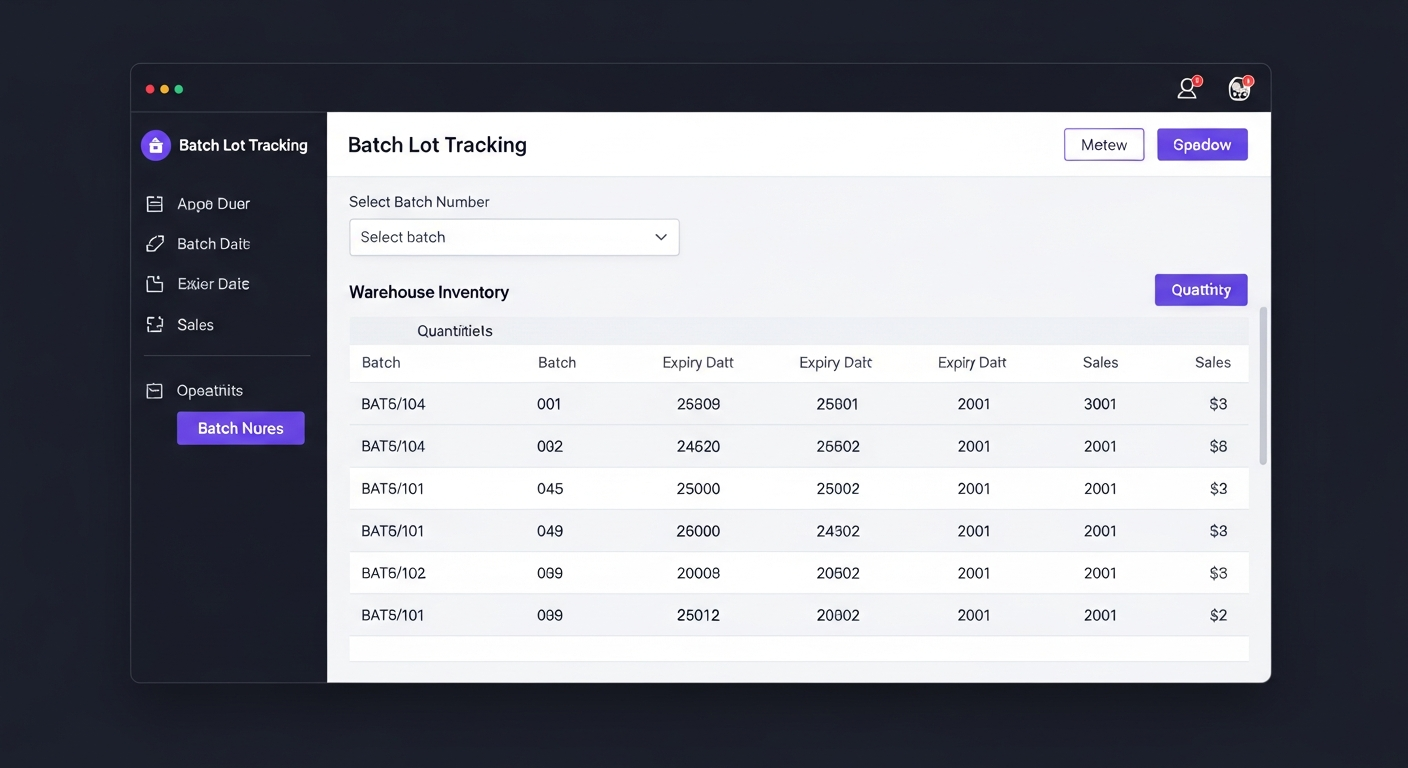
📦 Batch/Lot Integration with Sales
FEB 2026Batch tracking is now fully integrated with inventory transactions and sales/sales return forms. When selecting an item that has active batches, a dropdown appears to optionally assign a batch. Batch quantities are automatically updated on posting and restored on unposting.
- Purchases & returns increase batch quantity, sales decrease it automatically
- Items without batches are completely unaffected — zero disruption
- Full traceability across sales, sales returns, purchases, and purchase returns
📥 CSV Data Import
FEB 2026Easily migrate your existing data into APS with our powerful CSV import tool. Import inventory items, customers, suppliers, and journal entries in bulk — download ready-made templates, upload your CSV file, and let the system handle the rest with full validation and import history tracking.
- Ready-made CSV templates for each import type — no guesswork
- Bulk import thousands of records in seconds
- Built-in data validation prevents errors before import
- Full import history log — track every import with timestamps
- Seamless migration from Excel, QuickBooks, or any system that exports CSV
📊 Statutory Entitlement Rates Dashboard
FEB 2026Configure payroll compliance for 6 countries with interactive visual sliders. Adjust social insurance, pension, and tax contribution rates for Egypt, Saudi Arabia, UAE, USA, UK, and Germany with gradient-filled sliders that make rate visualization intuitive.
Interactive gradient-filled sliders for employee & employer rates
Egypt, KSA, UAE, USA, UK, Germany compliance support
Add, edit, remove income tax brackets per country
One-click reset to current country regulations
- US filing status support with separate brackets for Single, Married Filing Jointly, and Head of Household
- Real-time integration — all configured rates automatically applied by the payroll calculation engine
📎 Employee Document Attachment
FEB 2026Securely attach and manage scanned PDF documents directly to employee records. Store passports, national IDs, work permits, educational certificates, and contracts in secure cloud storage with each employee's profile.
Attach scanned passports, IDs, certificates, contracts
Secure object storage with presigned URL access
Documents linked to individual employee profiles
All operations require login for data protection
- Upload scanned documents (passport copies, ID cards, certificates, contracts) directly to each employee record
- PDF-only validation ensures consistent document format across all records
🎙️ Voice Commands for AI Reports
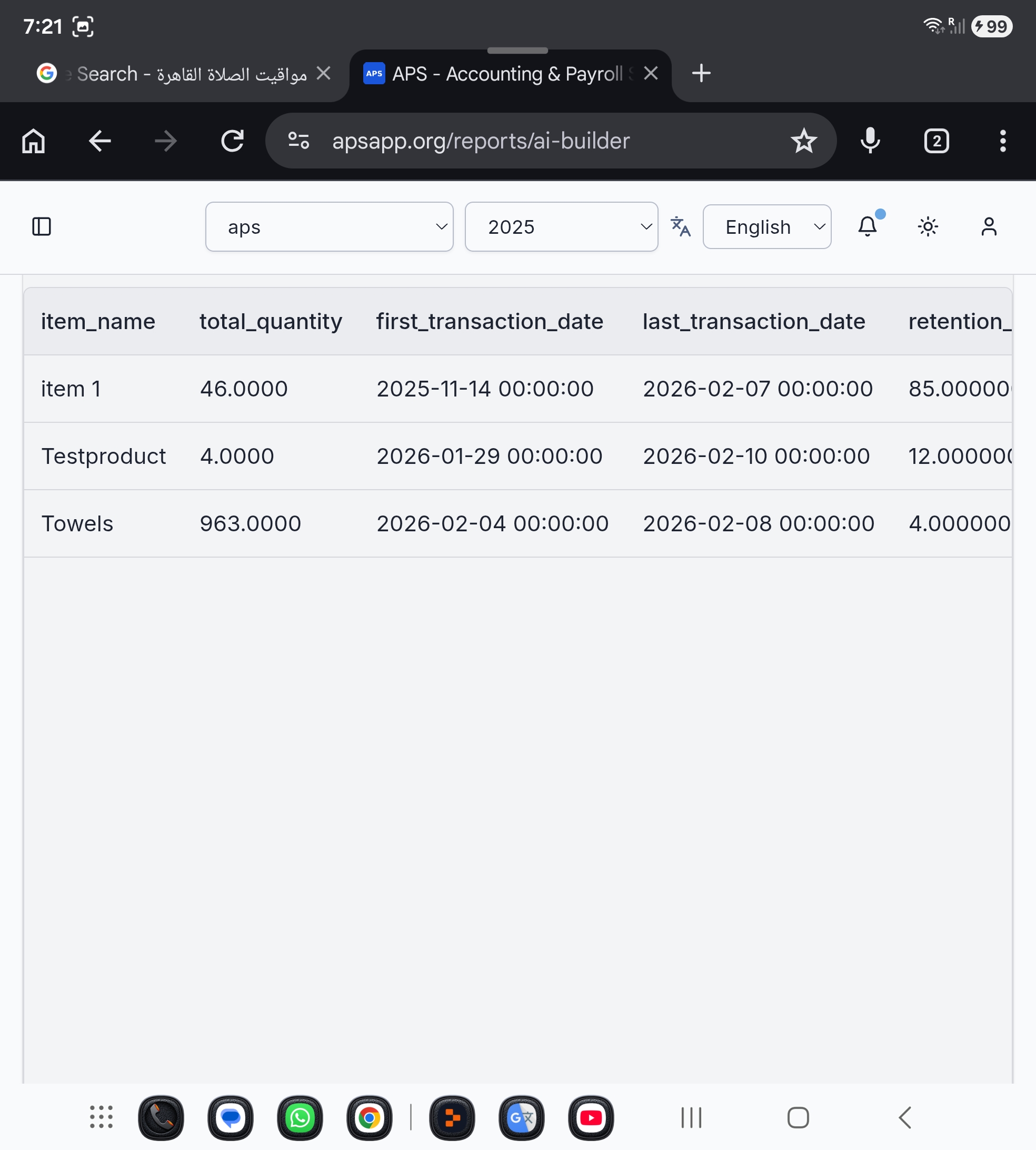
FEB 2026Query your data hands-free using voice commands! Tap the microphone button in the AI Report Builder, speak your question in English or Arabic, and the system automatically transcribes and executes your query.
Tap mic, speak your question, get instant results
Recognizes both English and Arabic voice commands
Speech converted to text and executed automatically
Optimized for phones and tablets — no keyboard needed
🧠 Intelligent Query Routing
FEB 2026The AI Report Builder now intelligently detects complex queries and automatically routes them to OpenAI for dynamic SQL generation.
Automatically classifies simple vs complex queries
Fast built-in templates for common report queries
OpenAI-powered SQL generation for complex analysis
Seamless routing — no manual mode selection needed
📋 Expanded Payroll Table Support
FEB 2026The AI Report Builder now supports querying all payroll and compliance tables.
Departments, employees, contracts, salary templates
Payroll runs, payslips, statutory rates, deductions
Compliance alerts, tax brackets, contribution rates
Correct filters applied per table structure automatically
🔒 Enhanced Security Validation
FEB 2026Improved query security validation now correctly handles tables with different security scoping structures.
Handles tables with different security column structures
Validates through parent table relationships when needed
Strict company and user data separation maintained
Valid queries no longer incorrectly blocked
🎁 Offers & Bundle Discounts
NEWCreate discounted offers for products sold together. When a customer's cart matches a configured bundle, the sales screen automatically shows a bundle offer banner and applies the discount — no manual price overrides needed at checkout.
Group two or more products into a discounted offer with a custom name and discount amount or percentage
The sales screen recognizes when a customer's items match an active offer
A clear on-screen banner shows the applied offer name and savings during checkout
Turn offers on or off anytime — perfect for seasonal promotions and clearance bundles
💲 Sale Price in Purchase Transactions
NEWPurchase and Return lines now display a customizable Sale Price (Reference Price) field right next to the unit cost — so you can review and adjust the target selling price directly while you're entering a purchase, instead of switching screens later.
A dedicated Sale Price column sits beside the unit price on every purchase and purchase return line
The sale price is clearly shown in purchase transactions, including on mobile devices
Update the target sale price while purchasing, without a separate pricing step
The sale price is only applied and updated to the store once the transaction is sent, keeping shelf prices reliable
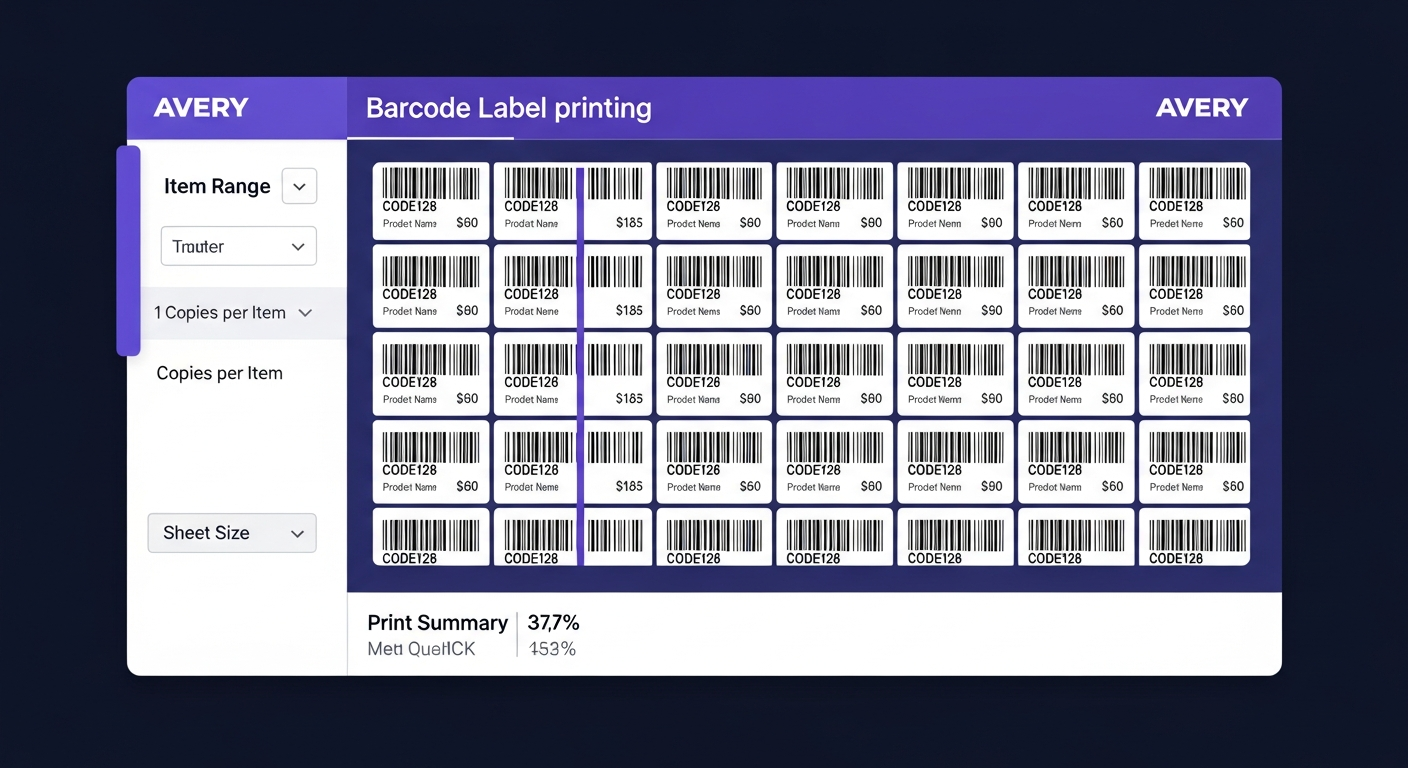
🏷️ Barcode Label Printing
FEB 2026Professional barcode label printing with support for 19 industry-standard sheet layouts — 13 Avery sizes (A4 & US Letter) plus 6 thermal roll formats. Select an item range, set copies per item, preview the full sheet layout live on screen, and print with exact physical dimensions to any printer or thermal roll device.
Choose From Item to To Item by code. Set both to the same item for a single item.
Control how many label copies to produce per item — perfect for stocking shelves or labelling multiple units.
13 Avery layouts (A4 & US Letter) and 6 thermal roll sizes via a grouped dropdown menu.
Scaled preview of one full sheet on screen so you can verify label alignment before printing.
Shows items selected, total labels, labels per sheet, and exact sheets needed before you print.
Opens a print window with exact physical dimensions — ready for any printer, including thermal roll devices.
Supported Sheet Formats:
A4 Avery Sheets
L7160 (21/sheet) · L7162 (16) · L7163 (14) · L7165 (8) · L7173 (12) · L7565 (8 square)
US Letter Avery Sheets
5160 (30/sheet) · 5161 (20) · 5162 (14) · 5163 (10) · 5164 (6) · 5167 (80 mini) · 5168 (4 large)
Thermal Roll Sizes
50×25 mm (inventory tag) · 58×40 mm (POS/retail) · 58×80 mm (food) · 80×50 mm (warehouse) · 100×50 mm (logistics) · 100×150 mm 4×6″ (e-commerce shipping)
🏷️ Multiple Barcodes per Item — Each with Its Own Unit & Price

Give any item as many barcodes as you need — one for a single piece, another for a box, another for a carton — and link each barcode to its own unit and its own price, chosen from up to 4 price levels including a dedicated wholesale price. Stock always stays accurate: whichever barcode is scanned, the store quantity is deducted by piece, multiplied by that unit's quantity.
Add a separate barcode for piece, box, carton, or any packaging you sell.
Each barcode is linked to its own unit of measure, like piece, box, or carton.
Choose from up to 4 different prices per barcode, including a dedicated wholesale price.
Whether you scan the piece or the package barcode, store quantity is always deducted by piece × unit quantity.
Example use case:
A carton of 24 bottles is stocked by the piece. Scan the piece barcode to sell one bottle at retail price. Scan the carton barcode to sell it at the wholesale price — the system automatically deducts 24 pieces from stock. Same item, different packaging, different quantity, different price.
🍳 Kitchen Display System (KDS) — Real-Time Order Board

Replace paper tickets with a live digital order screen for your kitchen — runs on any regular Android or iOS tablet or phone, no special kitchen hardware required. Every order appears instantly as a card, auto-refreshing in real time, with one-tap status tracking, color-coded urgency alerts, and sound notifications for new orders.
No proprietary KDS hardware to buy — just use a regular tablet or smartphone in the kitchen and you're ready to go.
Advance any item through Pending → Preparing → Ready → Served with a single tap.
Cards highlight automatically when an order is taking too long, with at-a-glance counts for pending, preparing, and ready items.
Orders from POS, online orders, and the Self-Order Kiosk all appear automatically — no extra setup needed.
Built for real kitchens:
Each card shows the store/branch name and customer name, with an optional sound alert whenever a new order comes in. The entire screen is fully bilingual (English/Arabic) with proper RTL layout for Arabic-speaking kitchen staff.
🧾 Self-Order Kiosk — Customer Self-Service Ordering

A customer-facing ordering screen that runs on any everyday Android or iOS tablet or phone — no dedicated kiosk terminal needed. Perfect for counter-service restaurants and cafés, customers browse a live menu and place their own orders, with zero manual entry for your staff.
Turn a standard Android or iOS tablet or smartphone into a public ordering kiosk — no login, no app to download.
Menu items, prices, and categories are pulled directly from your company's item catalog in real time.
Customers add or remove items, adjust quantities, confirm their order, and switch between English and Arabic at any time.
Orders flow straight into the Kitchen Display System and are automatically recorded as sales transactions — updating inventory, reporting, and accounting instantly.
Also included:
Companies can set a Default Store/Branch in Inventory Settings, so kiosk orders (and other transactions) are automatically assigned to the right branch — streamlining setup for multi-branch restaurant operations. The built-in AI assistant now also understands kiosk orders and default store settings, so you can ask natural-language questions about kiosk sales and get accurate answers.
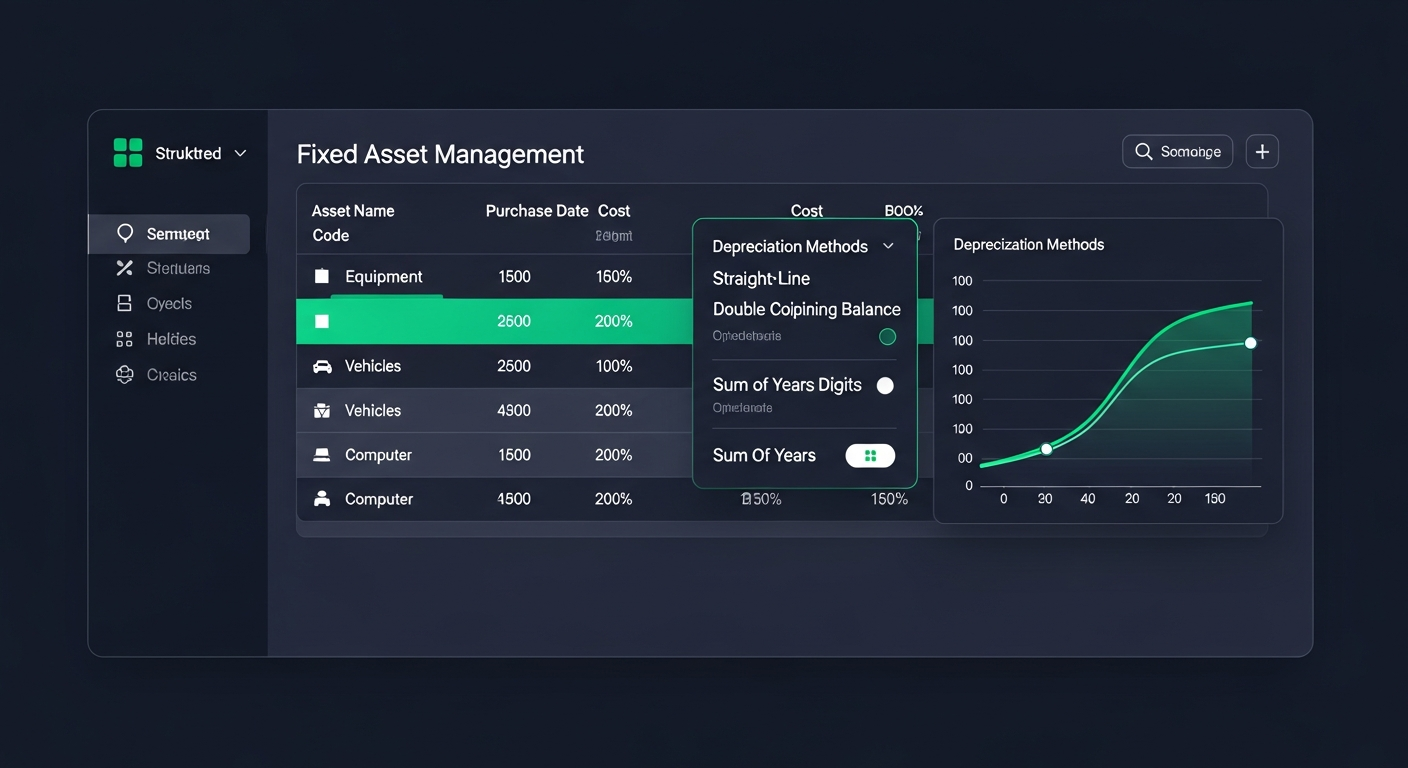
🏗️ Fixed Asset Register
MAR 2026Maintain a complete structured record of every depreciable asset your business owns. Choose from three depreciation methods, run one-click monthly depreciation that posts directly to the General Ledger, view per-asset amortization schedules, and let the system automatically mark assets as fully depreciated.

⚡ Three Depreciation Methods — Pick Your Accounting Policy
Straight-Line
Equal annual charges
Cost ÷ Useful Life = Fixed Annual Charge
Double Declining
Accelerated front-loaded
2× Straight-Line Rate × Book Value
Sum of Years' Digits
Decreasing-rate method
Remaining Life ÷ Sum of Digits × Cost
Asset Register
EN/AR names, code, category, serial, location
One-Click Run
Posts GL entries for all assets at once
Auto Status
Marks Fully Depreciated automatically
Dupe Protection
Same period blocked at system level
Auto GL Journal Entry
Each asset links its own Asset, Expense & Accumulated Depreciation accounts
Amortization Schedule Preview
| Period | Opening BV | Depr. | Closing BV |
|---|---|---|---|
| Jan 2026 | 50,000 | -833 | 49,167 |
| Feb 2026 | 49,167 | -833 | 48,334 |
| Mar 2026 | 48,334 | -833 | 47,501 |
| Apr 2026 → Dec 2030 … | |||
| Dec 2030 | 833 | -833 | 0 ✓ |
Posted periods highlighted · Book value auto-reaches salvage value
Complete Accounting Solution
Designed for global businesses with full bilingual support
Professional Multi-Section Profit & Loss Reports
Transform your financial reporting with GAAP/IFRS-compliant categorized P&L statements that provide instant business insights in perfect English and Arabic.
Automatic Multi-Section Categorization
- Revenue - Sales, Services, minus Returns & Discounts
- Cost of Goods Sold - See core business profitability instantly
- Operating Expenses - Separated into Administrative & Selling
- Operating Income - Understand operational efficiency
- Net Income - Your bottom line clearly displayed
True Bilingual Support
- Perfect Arabic RTL formatting
- One-click language switching
- All sections professionally translated
- Culturally adapted for Middle Eastern markets
Bilingual Interface
Seamlessly switch between Arabic and English with full RTL (Right-to-Left) support. No page reload required - instant language switching.
- Complete Arabic and English support
- Proper RTL layout for Arabic
- Instant language switching
Bilingual Interface Demo
Accounting Compliance
Double-Entry Bookkeeping
Full accounting compliance with automated journal entries, customizable chart of accounts, and comprehensive financial vouchers.
- Automated journal entries
- Customizable chart of accounts
- Financial vouchers and reports
Inventory & Barcode Scanning
Real-time stock tracking with mobile barcode scanning. Multi-warehouse support and average cost tracking included.
- Mobile barcode scanning
- Multi-warehouse management
- Real-time stock tracking
- Continuous camera scanning with audio alerts for alternative product names and for the cashier
- Store validation required before allowing camera scanner access
- USB & Bluetooth barcode scanner support on both the product form and the cashier screen
- Multiple barcodes per product (e.g. different pack types) — all recognized instantly by the POS
Inventory Management
Sales Invoice Management
Professional invoicing with two format options for different business needs. Generate perfect invoices for retail and corporate clients.
- A4 Standard Invoice - Professional format for corporate clients
- POS Receipt - Thermal printer format for retail
- Bilingual invoice printing (Arabic/English)
- Automatic transaction recording
Dual Invoice Formats
Customer Quotations
Create, send, track and convert customer price quotations — fully bilingual, fully integrated with your sales invoices, and ready for Microsoft Word editing or direct PDF delivery.
What It Does
- Create, edit and track quotations with full line-item detail (item, quantity, unit price, discount, tax)
- Built-in status workflow: Draft → Sent → Accepted / Rejected → Converted → Expired
- "Valid until" date to set offer expiry
- Notes and terms & conditions per quotation
- Multi-currency support using your company's exchange rates
Bilingual Exports That Match Your Invoices
- PDF export in English and Arabic with your company logo, colors, address, phone, email and tax number
- RTF export (opens in Microsoft Word) for full Arabic editing — perfect if you need to tweak the offer before sending
- Both formats use the same professional layout as your sales invoices: blue title bar, dark header table, bill-to card, totals box
One-Click Convert to Invoice
- When a customer accepts, hit Convert to Invoice — a new sales invoice is pre-filled with customer, store, items, quantities, prices, discounts and taxes
- The quotation status updates to "Converted" automatically
- Saves time and eliminates re-entry errors
Where to find it
Sidebar → Inventory → Quotations
Permissions
Respects your existing inventory module access and user roles
Quotation → Invoice in 1 Click
Project Management & Billable Hours → Invoice
Turn consultant and employee billable hours into a posted sales invoice in one click — no double-entry, no spreadsheets, no revenue leakage. Fully integrated with payroll, customers, items, e-invoicing (Egypt ETA / Saudi ZATCA), PDF exports, and GL posting.
Where to find it
Sidebar → Payroll → Project Management
What It Does
- Tracks every billable hour your team logs against a project
- Assigns a customer and billing rate to each project — project-wide rate or per-employee contract rate
- Generates a draft sales invoice listing every employee's unbilled hours × their rate
- Routes the invoice into the standard Sales Invoices screen — posts to GL, supports e-invoicing, exports to PDF, emails to customer
The One-Click Flow
- Set up the project once: Customer to bill, Service Item, optional project hourly rate.
- Log hours daily: Project, employee, date, hours — mark as billable.
- Generate Invoice from Hours: Preview every employee's unbilled hours × rate, grand total, and confirm.
- Post & deliver: Review the draft, Post to Stores, submit to ETA/ZATCA, export PDF, email customer.
Why It Matters
No double-entry
Hours captured once flow straight to the invoice
No revenue leakage
Every billable hour is visible in the preview
No double-billing
Atomic Invoiced marking with concurrency protection
Multi-employee, multi-rate
Different consultants → separate clearly-labeled lines on one invoice
Full audit trail
Every timesheet stores its linked invoice id and timestamp
Bilingual end-to-end
Arabic users see Arabic labels, toasts and names automatically
Service Item Type (Labor / Overhead)
A new item type for non-physical things you sell or bill: consulting hours, labor, delivery fees, installation, subscriptions, transport, overhead.
- No stock tracking — no quantity, no opening stock, never appears in stock reports or stock counting
- Posting skips warehouse movement — only the GL entry is created (Dr Accounts Receivable / Cr Service Revenue + VAT)
- Usable anywhere — add to any sales invoice for labor, transport, or any non-physical charge, not just project invoicing
- Tax-ready — set VAT rate per item (Egypt 14%, KSA 15%) for automatic invoice tax calculation
Timesheet Hours → Sales Invoice in 1 Click
Posted Invoice → Emailed Automatically
Auto-Email Invoices & Smart Reminders
Stop manually sending invoices and politely begging for payment. APS emails every sales invoice to your customer automatically the second it posts to accounting, and a built-in scheduler sends account statements and overdue reminders on the frequency you choose — all bilingual, all hands-off, and all safely isolated so they can never block or break your accounting.
Where to find it
Sidebar → Accounting → Communication & Reminders
1. Auto-Email Sales Invoices (+ Manual Send)
The moment a sales invoice posts to accounting, it is emailed to the customer automatically — fire-and-forget with its own protection, so it can never block or break the posting itself.
- Invoice emailed to the customer automatically right after posting
- Isolated send (own try/catch) — a mail hiccup never blocks or reverses posting
- Manual "Email to Customer" button on every posted invoice — detail view and row actions
- Guarded: the manual send refuses to fire on an unposted invoice
2. Statements & Overdue Reminders (Scheduled + Manual)
A dedicated Communication & Reminders page lets you switch on automatic statements and overdue reminders, set the frequency and a grace period — or fire any of them off instantly with one click.
- Toggles for auto-invoice email, auto-statements (weekly / bi-weekly / monthly) and auto-overdue reminders — all default OFF, fully in your control
- "Send Now" buttons trigger statements (with optional date range) and overdue reminders immediately
- Daily scheduler respects each company's toggles, frequency and last-run timestamps
- Functional grace-days setting — customers whose latest invoice falls inside the grace window are politely skipped
Why It Matters
Get paid faster
Customers receive invoices instantly and reminders automatically — no chasing
Zero manual effort
Set the toggles once; the scheduler handles statements and reminders for you
Never breaks posting
Every send is wrapped in its own try/catch — email problems stay invisible to accounting
Bilingual & polite
Arabic and English emails, with a grace window so good customers are never nagged
Split & Mixed Payments
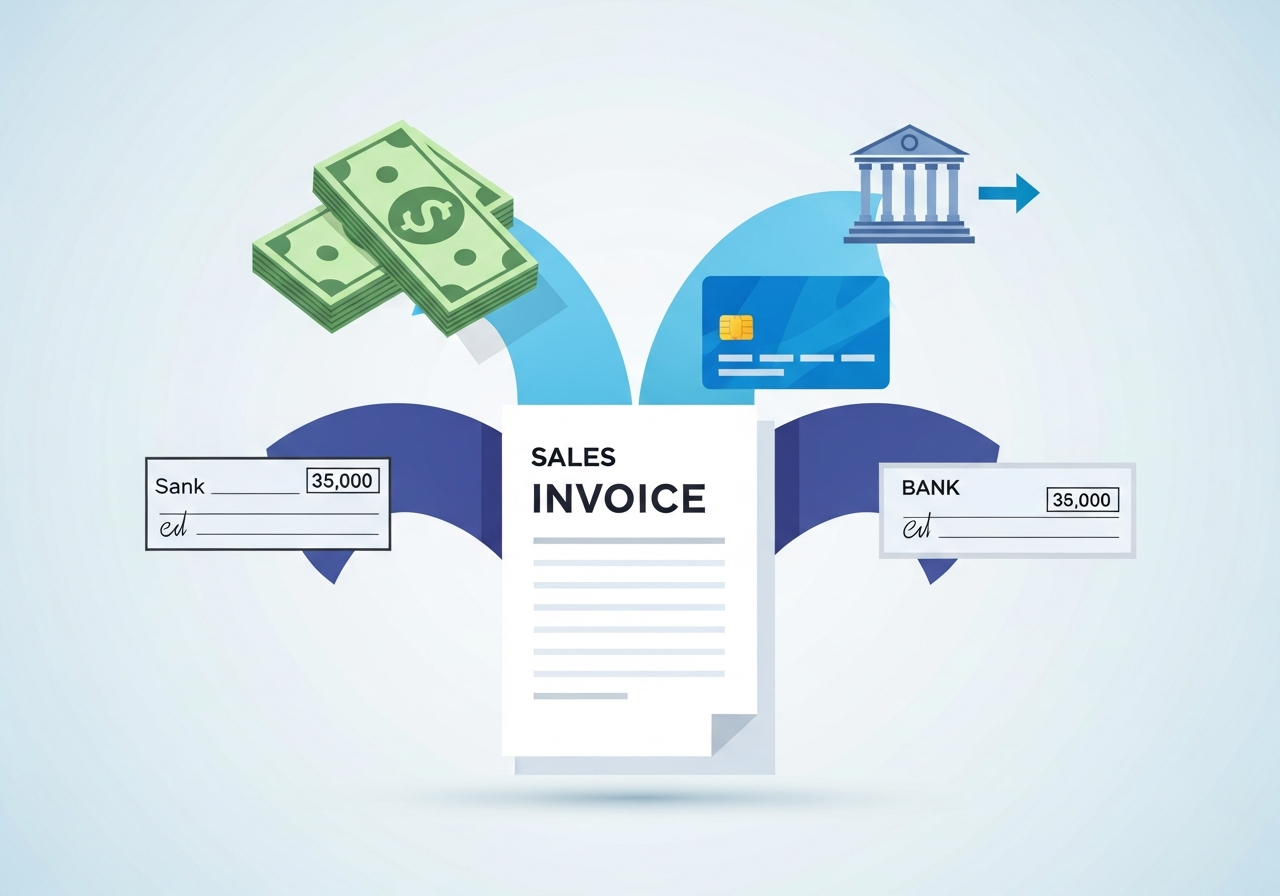
APS now lets you settle a single invoice using more than one payment method at the same time — for example part cash, part card, part cheque and part bank transfer, all on one invoice. Each tender posts to its own cash, bank or cheque account, partial payments are fully supported, and any unpaid remainder is carried automatically as a balance owed by the customer or to the supplier.
Where to find it
Inventory → Settings → Payment Terms
Key highlights
- Works on both sales and purchase invoices — identical behavior whether you collect from a customer or pay a supplier
- Each payment posts to its own cash, bank or cheque account in the general ledger — no lumping everything into one account
- Partial payments fully supported — any unpaid remainder is carried automatically as accounts receivable or accounts payable
- One place to manage tenders — payment methods are now defined as Payment Terms; any term linked to a cash/bank account becomes a usable split tender
- Built-in accuracy safeguards — every payment must be linked to a valid account before it can be saved, and each saved payment permanently remembers its account so older invoices stay accurate
- Fully bilingual — the entire feature and the in-app AI Assistant's help work in English and Arabic with full RTL support
How to use it
Set up once
Go to Inventory → Settings → Payment Terms and attach a cash/bank account to each payment method you use (e.g. Cash, Visa, Cheque).
On the invoice
Add one payment row per method, choose the method and enter the amount for each.
Save
APS posts each tender to its own account and leaves any unpaid balance on the customer or supplier automatically.
Warehouse Issue Permits
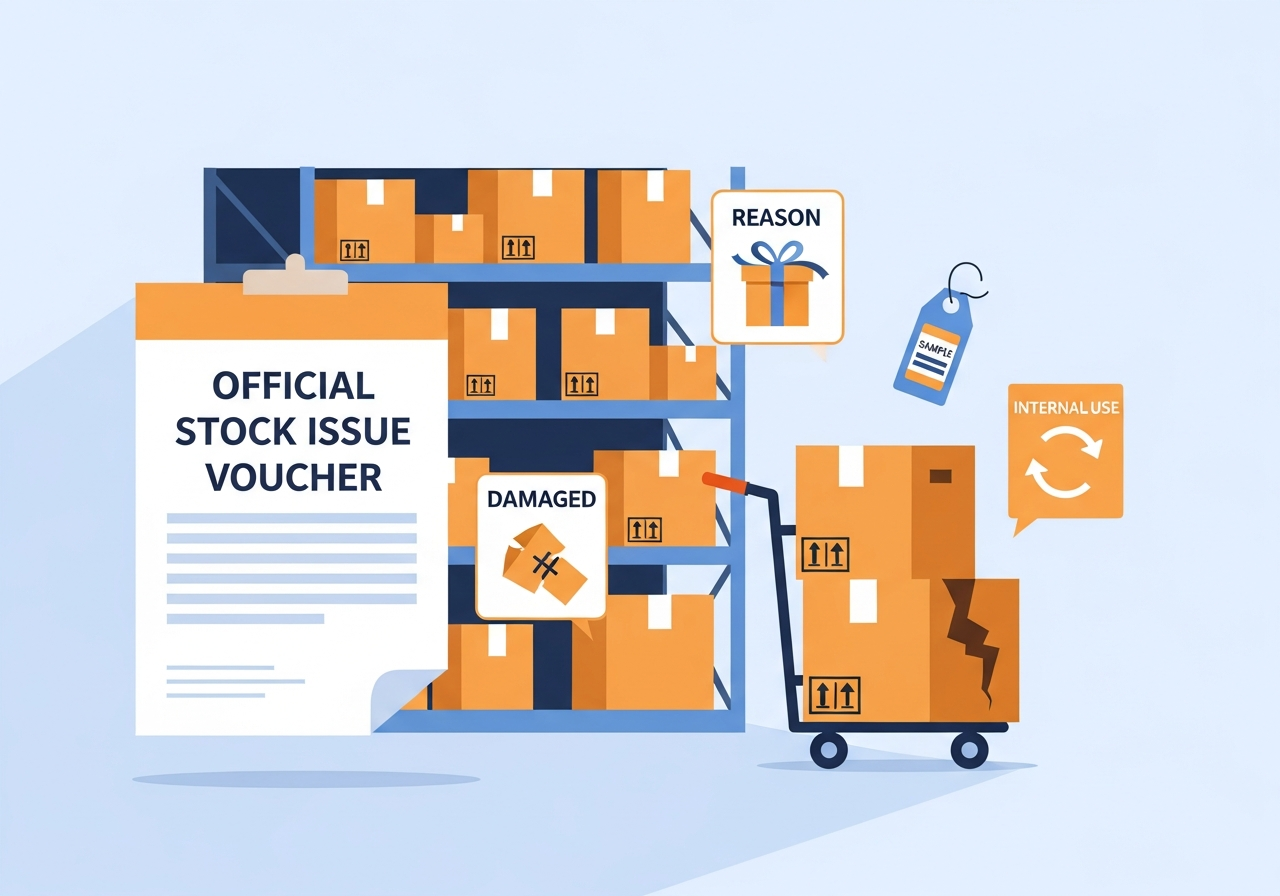
APS lets you turn any warehouse movement into an official stock issue permit in one click, with a recorded reason for every issue. Hand out free samples, give a customer gift, write off damaged or expired stock, or move goods for internal use — each permit posts the correct inventory movement at the right cost and keeps a full audit trail of who issued what, when and why. The reason list is fully expandable, so you can add your own categories to match exactly how your business operates.
Where to find it
Inventory → Warehouse → Stock Issue Permits
Key highlights
- One-click issue permit generated directly from any warehouse / stock transaction
- Record a reason for every issue — gifts, free samples, damaged or expired stock, internal use, donations, promotions
- Fully expandable reason list — add your own custom reasons to match how your business operates
- Accurate stock & costing — issued quantities reduce inventory at the correct cost, with the reason recorded against the movement
- Complete audit trail — every permit records who issued what, when and why, ready for review
- Print or export a professional, fully bilingual permit document (English & Arabic with RTL support)
How to use it
Open the transaction
From a warehouse / stock transaction, choose "Generate Issue Permit".
Choose a reason
Pick the reason (gift, sample, damage, internal use…) or add a new custom reason on the spot.
Confirm & print
APS posts the stock issue at the correct cost and produces a printable bilingual permit.
Green Accounting & Sustainability Tracking
Tag any account. Report your environmental spend in seconds.
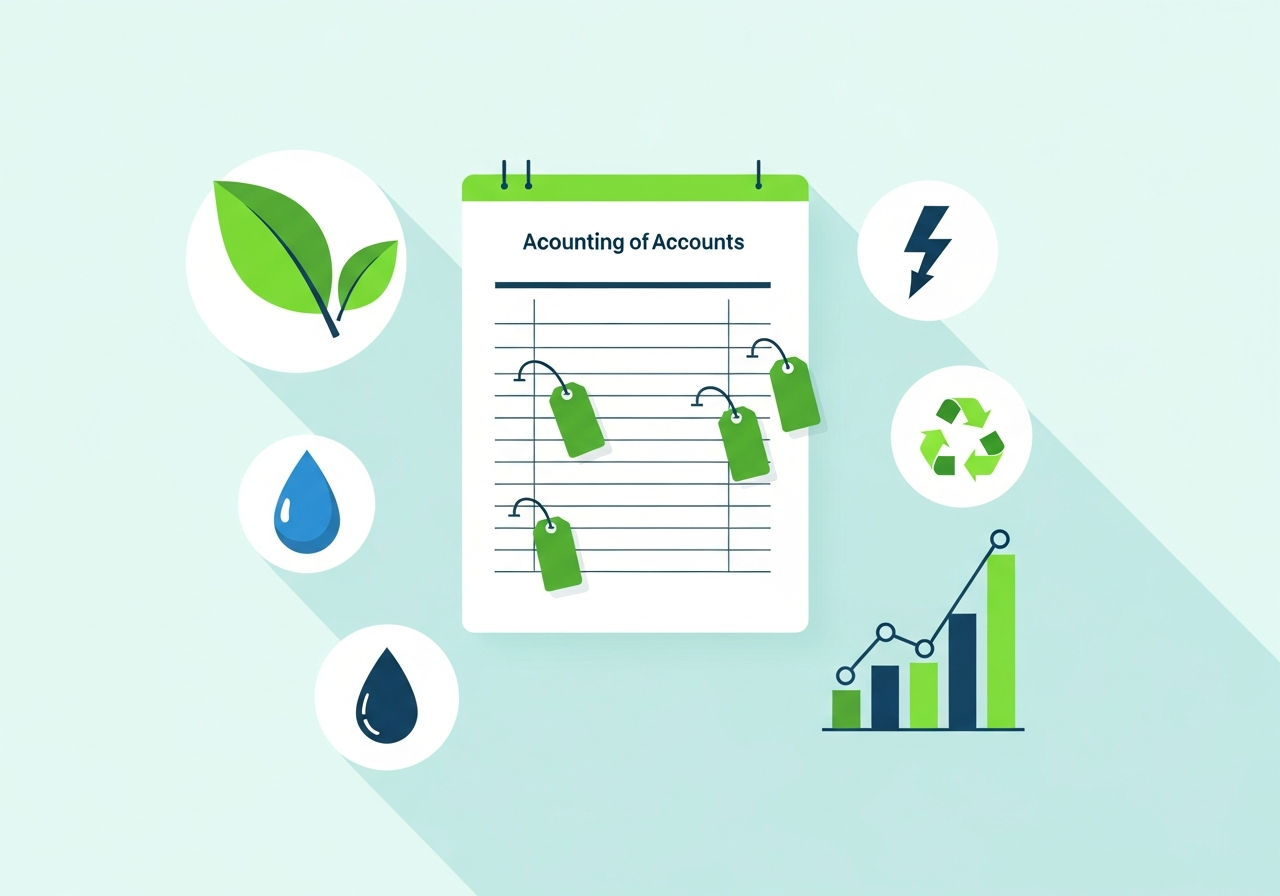
APS now lets you track the environmental side of your business right inside your existing books — no separate system, no extra data entry. Simply tag the accounts that matter (electricity, fuel, water, waste, and more) and APS turns your everyday transactions into clear sustainability insights.
Where to find it
Chart of Accounts → Environmental Category · AI Report Builder
Key capabilities
- Optional environmental tagging — add an Environmental Category to any account; tag it once and every transaction is automatically counted toward your green reporting
- Nine ready-made categories — Energy & Electricity, Fuel, Water, Waste & Disposal, Travel & Transport, Materials & Packaging, Emissions, Recycling, and Other Environmental
- Ask for reports in plain language — use the AI Report Builder to get instant, grouped results by environmental category
- Built-in AI guidance — the APS Assistant explains how to set up and use green accounting, step by step
- Fully bilingual — works seamlessly in both English and Arabic, with full right-to-left support
- Zero disruption — tagging is completely optional and additive; your existing accounts, reports, and workflows keep working exactly as before
Why it matters
Sustainability reporting is becoming a competitive and regulatory expectation. APS helps you measure and communicate your environmental spend using the financial data you already capture — no new tools, no duplicated effort.
How to use it
Tag an account
Open the Chart of Accounts and assign an Environmental Category to any account.
Keep working as usual
Every transaction on that account is automatically counted toward your green reporting.
Ask for a report
Use the AI Report Builder to see spend by environmental category instantly.
E-Invoicing: Egypt ETA, Saudi ZATCA & Jordan JoFotara
Fully integrated electronic invoicing for Egypt, Saudi Arabia and Jordan — submit invoices directly to government tax portals from inside APS, automatically, on every posted invoice.
🇪🇬 Egypt — ETA (Electronic Tax Authority)
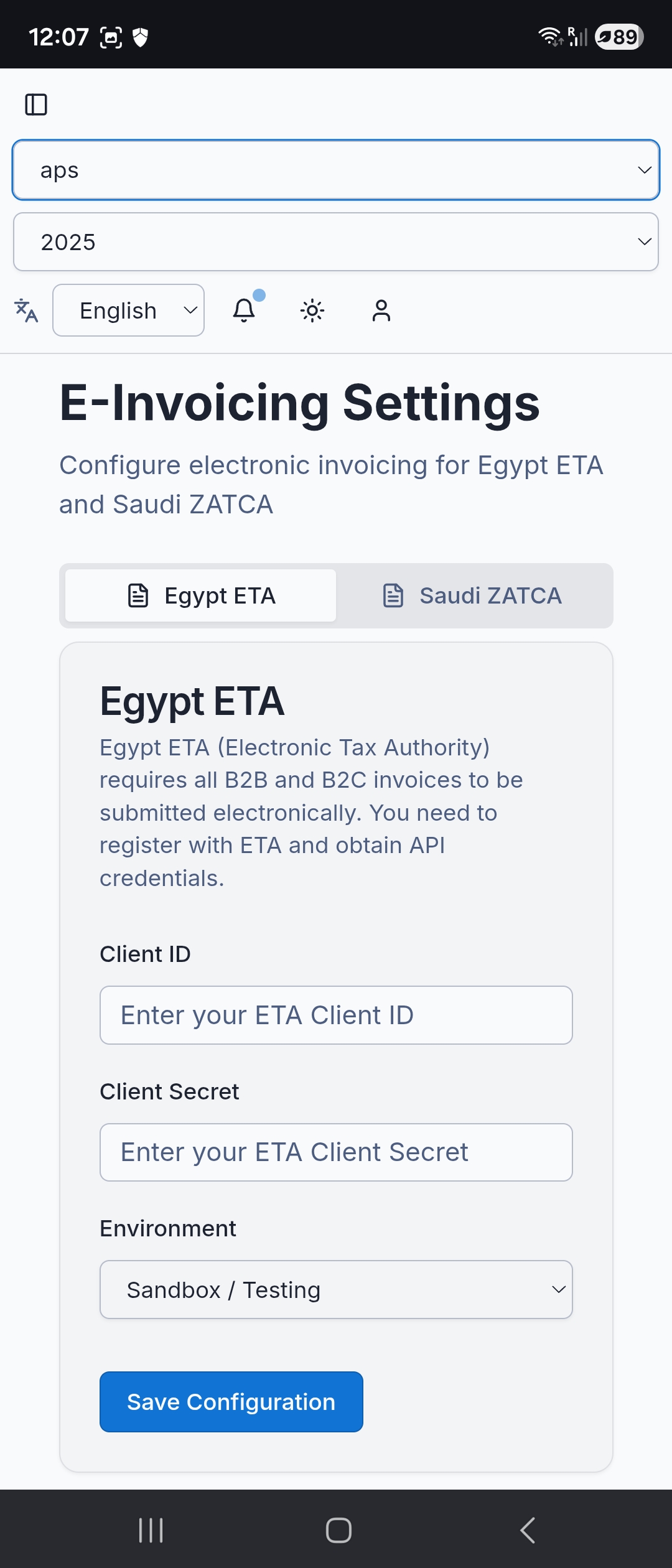
APS connects directly to the Egyptian Tax Authority (ETA) portal using your API credentials. Every invoice you post is automatically signed and submitted — no manual uploads, no third-party tools.
How it works in APS
Configure API credentials
Enter your ETA Client ID and Client Secret once in APS settings
Choose environment
Select Sandbox to test without real submissions, or Production when you go live
Post invoices as normal
APS automatically signs and submits to ETA on every posted invoice — zero extra steps
Receive UUID confirmation
ETA returns a unique UUID for every accepted invoice, stored in APS for audit
Supported document types
Submission status tracking
Every invoice shows its ETA status: Pending · Valid · Rejected (with rejection reason from ETA)
// Direct API — no middleware
🔵 Sandbox: api.preprod.invoicing.eta.gov.eg
🟢 Production: api.invoicing.eta.gov.eg
Auth: OAuth2 (Client ID + Client Secret)
Submits · Retrieves UUID & Long ID · Checks status
🇸🇦 Saudi Arabia — ZATCA (Fatoora Phase 2)
APS handles the complete ZATCA Phase 2 cycle — from generating the XML invoice in UBL 2.1 format, to real-time clearance (B2B) or reporting (B2C), to printing the QR code on every invoice.
How it works in APS
Configure ZATCA credentials
Enter your ZATCA API credentials from the Fatoora portal once in APS settings
Post invoices as normal
APS generates the XML in the required ZATCA format automatically in the background
Clearance or Reporting
Standard B2B invoices go through ZATCA clearance; simplified B2C invoices are reported
QR code printed automatically
Every invoice gets a ZATCA-compliant QR code, printed automatically on the invoice PDF
Supported document types
Submission status tracking
Every invoice shows its ZATCA status: Cleared · Reported · Rejected (with ZATCA reason code)
// Direct ZATCA gateway — no middleware
🔵 Sandbox: gw-fatoora.zatca.gov.sa/developer-portal
🟢 Production: gw-fatoora.zatca.gov.sa/core
B2B → Real-time clearance from ZATCA
B2C → Reporting within 24 hours
🇯🇴 Jordan — JoFotara
APS is ready to connect with Jordan's JoFotara platform. Invoices are prepared as UBL 2.1 XML, Base64-encoded and submitted to the official government endpoint using your issued credentials.
How it works in APS
Configure JoFotara credentials
Enter the Client ID / Current ID and Secret Key issued by the JoFotara portal
Prepare UBL 2.1 XML
APS prepares each invoice in the required UBL 2.1 XML format
Encode and submit
The XML is Base64-encoded and sent to the official JoFotara endpoint
Track the response
APS records the submission result, UUID, QR code when returned, and any error details
Integration capabilities
Submission status and audit trail
Every attempt is saved in the e-invoicing submissions panel, including the response result and error log for follow-up.
// Direct JoFotara gateway
Production: backend.jofotara.gov.jo/core/invoices/
AI-Powered Analytics
AI Report Builder
Ask questions in Arabic or English and get instant reports. No SQL knowledge required - just natural language queries.
- Natural language queries
- Instant report generation
- No SQL knowledge needed
- Save reports to sidebar menu for quick access
AI-Powered Parameterized Report Builder
Turn any report request written in plain English or Arabic into a live, filterable report — no SQL, no technical setup.
How it works
- 1 Describe the report you want in everyday language (e.g. "Show total sales per warehouse with customer and location, filtered by a specific store and customer").
- 2 The AI instantly builds the underlying query and detects which parts should be adjustable — dates, a specific customer, supplier, item, store, employee, or branch.
- 3 A simple filter dialog with dropdowns and date pickers appears, so you (or your team) can re-run the same report anytime with different filters — without regenerating it from scratch.
Key benefits
- No technical skill required. Anyone on the team can request a custom report by describing it, in English or Arabic.
- Reusable, not one-off. Once built, a report becomes a saved, parameterized tool — change the store, customer, or date range and re-run instantly.
- Smart dropdown filters. Automatically pulls live customer, supplier, item, store, employee, and branch lists so you always pick from real, current data — never guesswork or free typing.
- "All" or "Specific" filtering. Choose to see every record, or narrow down to one specific customer, store, or item, on demand.
- Bilingual by design. Fully supports English and Arabic, including right-to-left layout, so reports are usable and readable for every team member.
- Built-in accuracy checks. Reports validate filter selections before running, so you get a clear reason if something's missing — never a silent or confusing failure.
Example use cases
- "Show me total purchases by supplier for this month"
- "List sales by warehouse and customer, showing name and location"
- "Show inventory value by item category, filtered to one branch"
Break the Language Barrier in Shared Bilingual Data
APS is a bilingual (English/Arabic) accounting system, but in practice your team may be even more diverse — one colleague enters transactions in Arabic, another needs to review them in English, and a partner or auditor overseas may only read Russian, German, or French. Previously, this meant either re-typing data or losing context in translation. Now, APS's AI Report Builder can translate any data column into your preferred language — on the fly, right inside the results you're already viewing — no matter what language the original data was entered in.
How it works
Just add a simple instruction to your natural-language report request, in either English or Arabic:
- "Show journal entries with debit and credit, and display description in German language"
- "اعرض اسم الصنف باللغة الروسية" (Show item name in Russian language)
The AI Report Builder automatically detects which column you're referring to and which language you want, then adds a new translated column alongside your existing results — so you can see the original entry (e.g. in Arabic) side-by-side with its Russian, German, French, or other-language equivalent.
Key benefits
- Works for any text column — item names, journal descriptions, customer names, notes, and more.
- 26 languages supported, including Arabic, English, German, French, Spanish, Russian, Chinese, Japanese, Turkish, Hindi, and many others.
- Bilingual by design — you can phrase the request in English or Arabic, and it understands either.
- Available in both report modes — Custom (natural-language) Reports and Parameterized Reports.
- Zero risk to your data — this is purely a display-time translation. Your original stored records are never modified, so historical entries, audits, and exports stay accurate to what was actually entered.
- No extra setup — just type the request as part of your normal report query; no configuration or admin toggles needed.
Example use case
A branch accountant in Cairo records daily journal entries with Arabic descriptions. The company's regional finance director in Moscow needs to review the same entries. Instead of requesting a manual translation, they simply run: "Show today's journal entries with description in Russian language" — and instantly see every entry's original data (dates, debit/credit amounts, accounts) with the description translated into Russian, without anyone having to re-enter or duplicate the data.
Project Management Module
Track consultant billable hours and project time that feeds directly into payroll calculations. Perfect for consulting firms, service companies, and internal project management.
Project Tracking
- Create and manage multiple projects per company
- Track project status (active, completed, on-hold)
- Set start/end dates and budgets with full bilingual support
Timesheet Logging
- Log hours worked by employees against specific projects
- Record date, hours, and work description
- Mark entries as billable or non-billable
- Mobile-friendly interface for on-the-go time entry
Payroll Integration
- Timesheets link to employees in the payroll module
- Track which timesheets have been processed in payroll runs
- Logged hours feed into variable pay calculations based on hourly rates
Perfect For
Consulting Firms
Bill clients based on actual hours worked with detailed time tracking
Service Companies
Track time spent on customer projects for accurate billing
Internal Projects
Monitor resource allocation across initiatives and teams
Mobile Optimized
Responsive design with RTL support for Arabic users

Production & Manufacturing Module
Transform raw materials into finished products with our powerful manufacturing workflow. Perfect for manufacturers who need to track materials through the production process with full cost visibility.
- Item Classification - Classify items as Trading, Raw Material, Semi-Finished, or Finished Product
- Production Orders - Create production orders with automatic cost calculation from bill of materials
- Auto Cost Calculation - Automatically calculate finished product costs based on raw material consumption
- Category Filtering - Filter inventory reports by item type for better visibility
- Production Tracking - Track work-in-progress and finished goods inventory in real-time
Batch/Lot Tracking System
Track products through the supply chain with unique batch and lot numbers for quality control, expiry management, and regulatory compliance.
- Unique Batch Numbers - Create and manage batches with unique batch numbers and optional lot numbers
- Expiry Management - Track manufacturing dates and expiry dates for perishable goods
- Cost Tracking - Monitor batch quantities and unit costs for accurate inventory valuation
- Status Management - Set batch status (Active/Expired) with full CRUD operations
- Recall Ready - Meet FDA/ISO requirements with efficient product recalls by batch number

Batch/Lot Tracking Integration with Inventory & Sales
Batch tracking is now fully integrated with inventory transactions and sales/sales return forms. Batch quantities are automatically updated on posting and restored on unposting.
- Smart Batch Selection - When selecting an item with active batches, a dropdown appears to optionally assign a batch
- Automatic Quantity Updates - Batch remaining quantity is automatically updated upon posting (increased for purchases/returns, decreased for sales)
- Unpost Reversal - Unposting reverses the changes and restores batch quantities to their original state
- Optional & Non-Intrusive - Batch selection is optional and does not affect items without batches
- Full Sales Cycle - Works across sales, sales returns, purchases, and purchase returns for complete traceability
🏷️ Barcode Label Printing
Professional barcode label printing with support for 19 industry-standard sheet layouts — 13 Avery sizes (A4 & US Letter) plus 6 thermal roll formats.
Item Range Selection
From Item to To Item by code
Copies Per Item
Control label count per item
19 Sheet Presets
Avery A4, US Letter & thermal rolls
Live Sheet Preview
Verify alignment before printing
Smart Summary
Items, labels, and sheets needed
Browser Print Window
Exact physical dimensions for any printer
Supported Sheet Formats
A4 Avery: L7160 (21/sheet) · L7162 (16) · L7163 (14) · L7165 (8) · L7173 (12) · L7565 (8 square)
US Letter: 5160 (30) · 5161 (20) · 5162 (14) · 5163 (10) · 5164 (6) · 5167 (80 mini) · 5168 (4 large)
Thermal Rolls: 50×25 · 58×40 · 58×80 · 80×50 · 100×50 · 100×150 mm (4×6″)
19
Sheet Sizes
128
CODE128 Format
∞
Label Copies

Bill of Materials (BOM) Management
Define component recipes for manufacturing finished products with multi-level sub-assembly support and version control for tracking product design changes.
- Component Linking - Create BOMs linking finished products to their raw material components
- Multi-Level BOMs - Support for semi-finished products with their own BOMs (sub-assemblies)
- Wastage Configuration - Configure wastage percentages for expected material loss
- Version Control - Track product design changes with version history
- Optional Components - Mark optional components for variant products
Production Basics Help Guide
Comprehensive beginner-friendly documentation explaining manufacturing concepts. Available in English and Arabic with practical examples.
- 5-Step Production Process - Complete guide to the production workflow from start to finish
- Item Type Explanations - Trading, Raw Material, Semi-Finished, and Finished Product definitions
- Cost Flow Examples - Practical examples showing how costs flow through production
- Best Practices - Inventory and production management best practices
- Bilingual Support - Complete documentation in English and Arabic

Team Collaboration Made Simple
Email-Based Invitation System
Invite team members to your accounting workspace with just their email address. Our secure invitation system makes collaboration effortless with bilingual email delivery and seamless onboarding.
- Secure & Controlled - Unique invitation codes, time-limited invitations, and full tracking (pending, accepted, expired, revoked)
- Bilingual Email Delivery - Professional email templates in English and Arabic with direct invitation links
- Seamless Onboarding - One-click acceptance, automatic license assignment, instant access to your company's data
- Multi-License Support - Users can belong to multiple companies, easy license switching, separate data isolation per company
- Perfect For - Adding accountants to client workspaces, collaborating with bookkeepers, multi-user teams, and cross-company consultants
Team Collaboration
Year-End Process
Year-End Rollover
Automatically transfer ending balances to next year's opening balances with full data preservation. Available to Admin and Accountant users with two-step confirmation and irreversibility warnings.
- Transfers ending balances → next year's opening balances
- Available to Admin AND Accountant users
- Two-step confirmation with irreversibility warning
- Preserves account hierarchy and relationships
Hierarchical Account Structure
Four-level hierarchical chart of accounts with master accounts for accumulation and subaccounts for transactions. Supports Root → Section → Group → Leaf structure.
- 4-level hierarchy: Root → Section → Group → Leaf
- Master accounts (isMaster='Y') for accumulation only
- Subaccounts (isMaster='N') for transactions
- Visual indentation in UI for clarity
Account Hierarchy
Nature Classification
Account Nature Classification
Proper balance calculation based on account nature. Supports Debit ('D') and Credit ('C') classifications with contra-account handling for Accumulated Depreciation and Owner's Drawings.
- Debit ('D') / Credit ('C') nature classification
- Proper balance calculation based on nature
- Contra-account support (Accumulated Depreciation)
- Owner's Drawings contra-account handling
Parent-Child Relationships
Automatic parent-child relationship maintenance with recursive balance aggregation. Visual indentation in the UI makes navigation intuitive and clear.
- Automatic hierarchy maintenance
- Visual indentation in UI for easy navigation
- Recursive balance aggregation up the tree
- Integrity checks prevent circular references
Account Relationships
3
Depreciation Methods
Auto
GL Posting
∞
Assets Tracked
🏗️ Fixed Asset Register
Maintain a complete structured record of every depreciable asset your business owns. Choose from three depreciation methods, run one-click monthly depreciation that posts directly to the General Ledger, view per-asset amortization schedules, and let the system automatically mark assets as fully depreciated.
-
Asset Register — Name (EN/AR), code, category, serial number, location, purchase date, cost, salvage value, useful life
-
3 Depreciation Methods — Straight-Line, Double Declining Balance, Sum of Years' Digits
-
One-Click Depreciation Run — Posts balanced journal entries to GL automatically, duplicate-run protected
-
Amortization Schedule — Period-by-period table with opening/closing book value, posted periods highlighted
-
Auto Status Tracking — Automatically marks assets Fully Depreciated when book value reaches salvage value
-
Duplicate-Run Protection — Running the same period twice is blocked at the system level
GL Accounts Linked Per Asset:
Each asset links directly to its Asset Account, Depreciation Expense Account, and Accumulated Depreciation Account — no manual mapping needed.
💸 Expenses Module
A complete, paperless expense management system — from employee submission to manager approval to automatic journal-entry posting, with receipt photos, custom categories, and a full audit trail.
Key Capabilities
- Receipt photo attachment (camera or gallery upload)
- Custom expense categories — Travel, Meals, Utilities, etc.
- Multi-currency support
- GL account assignment per expense (debit + credit)
- One-click post to balanced double-entry journal entry
- Approve or Reject with reason — full audit trail
- Live status badges across all stages
- Direct link from expense to its journal entry
Dashboard & Filters
Live count badges across all statuses. Filter by any status instantly to see exactly where every expense stands.
5
Statuses
∞
Categories
1-Click
GL Post


Expense Categories
Create your own category list — Travel, Meals, Office Supplies, Utilities, Maintenance, and more — so every expense is tagged and reportable by category.
Who Is It For
- Retail & trading — petty cash, delivery fees, shop maintenance
- Restaurants & cafés — ingredient purchases, staff meals, supplies
- Contracting firms — site travel, tools, subcontractor expenses
- Professional services — client entertainment, subscriptions
- Any business with employees — travel, mobile bills, training
🚀 Advanced Financial Reports Suite
Elevate your financial analysis with powerful Tier 1 reporting capabilities
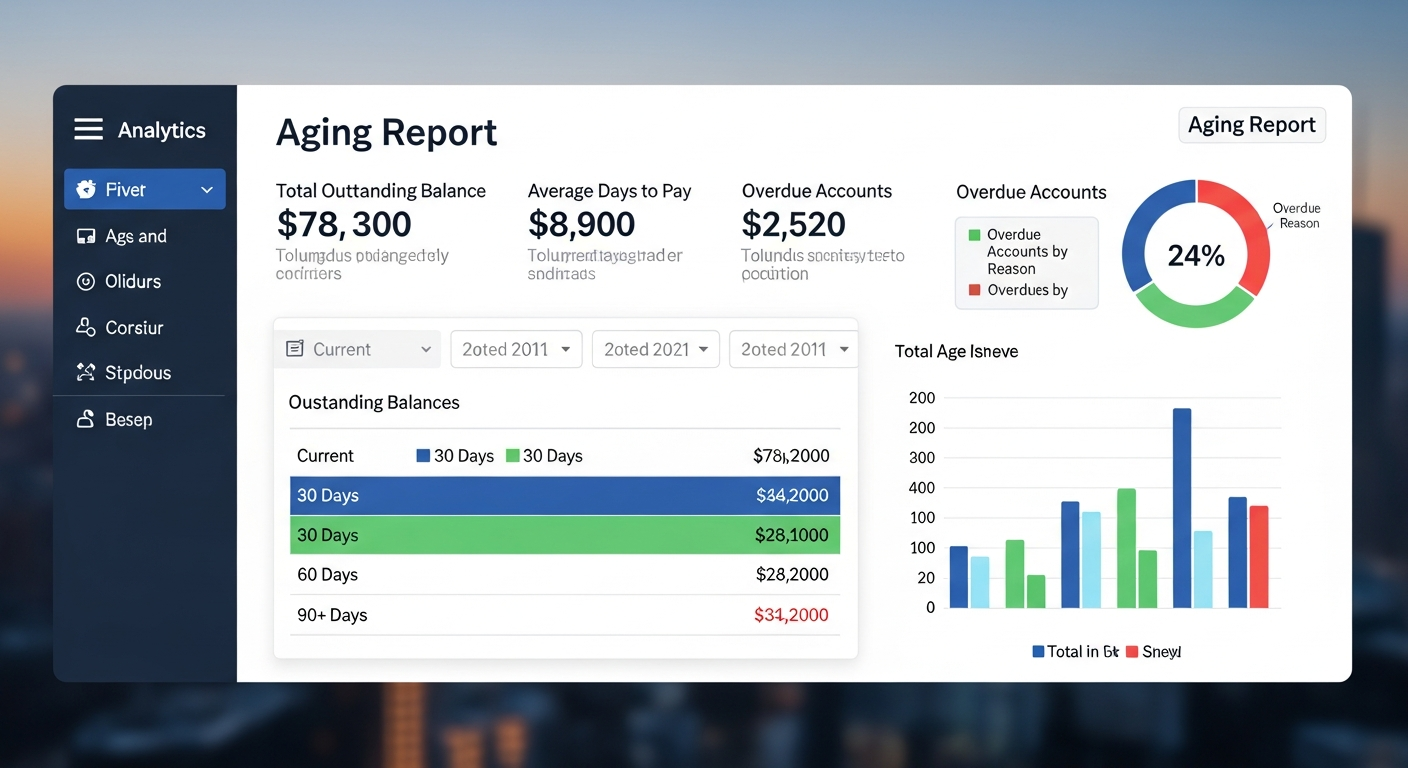
📊 Aging Report (A/R & A/P)
Take control of your cash flow with intelligent receivables and payables tracking
- 5 age bracket analysis: Current, 1-30, 31-60, 61-90, 90+ days
- Separate A/R and A/P analysis
- Spot collection risks before they become problems
- Professional PDF export with Arabic RTL support
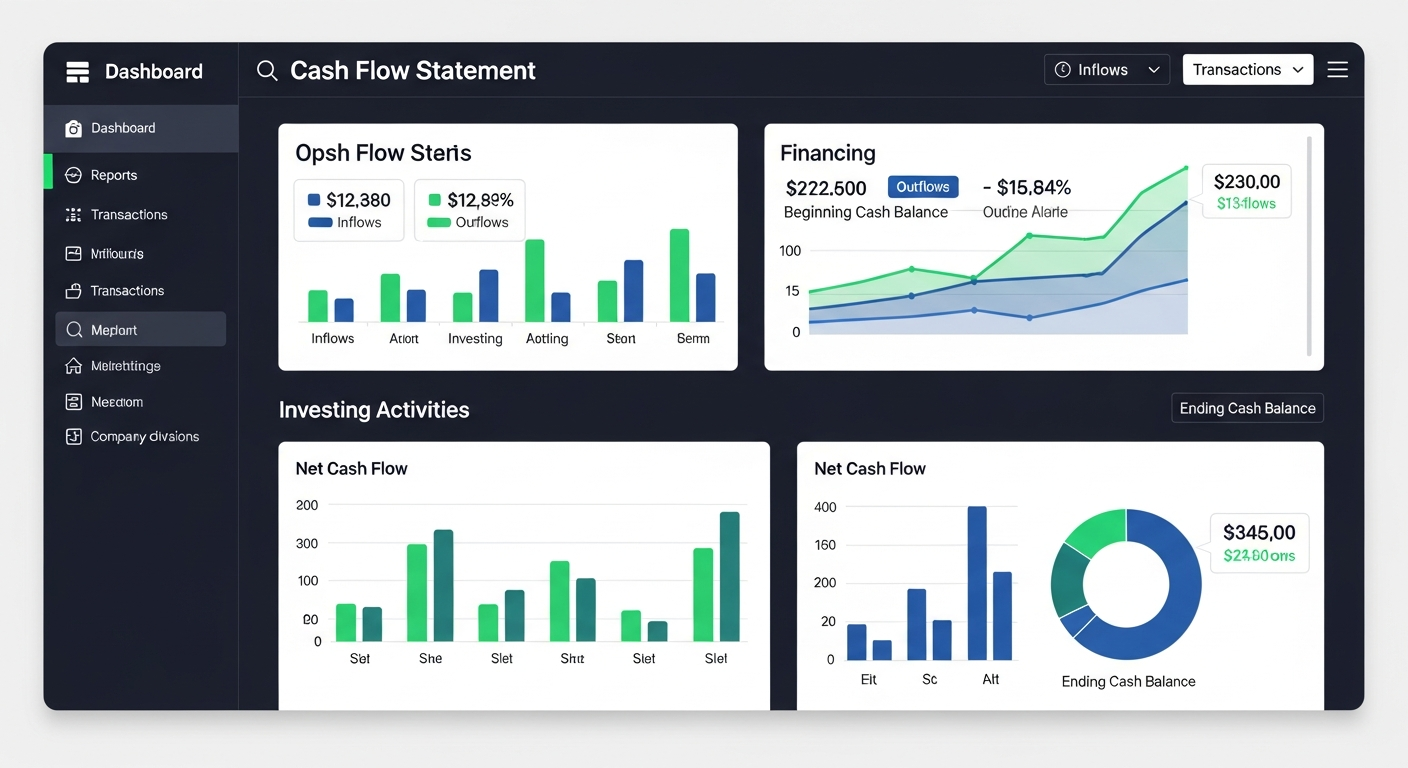
💰 Cash Flow Statement
Understand where your money comes from and where it goes
- Comprehensive Operating, Investing, Financing activities
- Track opening and closing cash balances
- Automatic net cash flow calculations
- Essential liquidity management insights
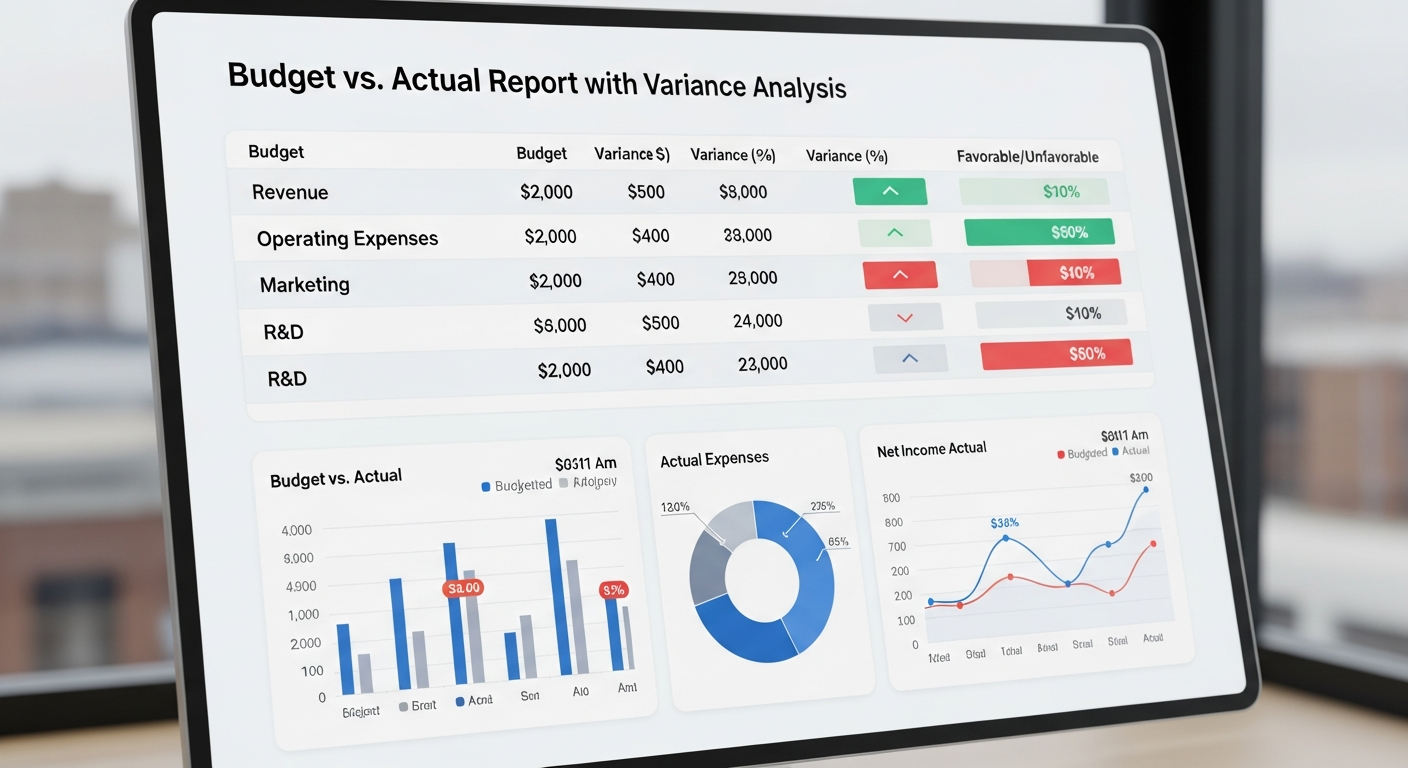
📈 Budget vs Actual Report
Keep your business on track with real-time performance monitoring
- Compare planned budgets vs actual results
- Instant variance calculations with indicators
- Separate revenue and expense analysis
- Data-driven decisions with clear percentages
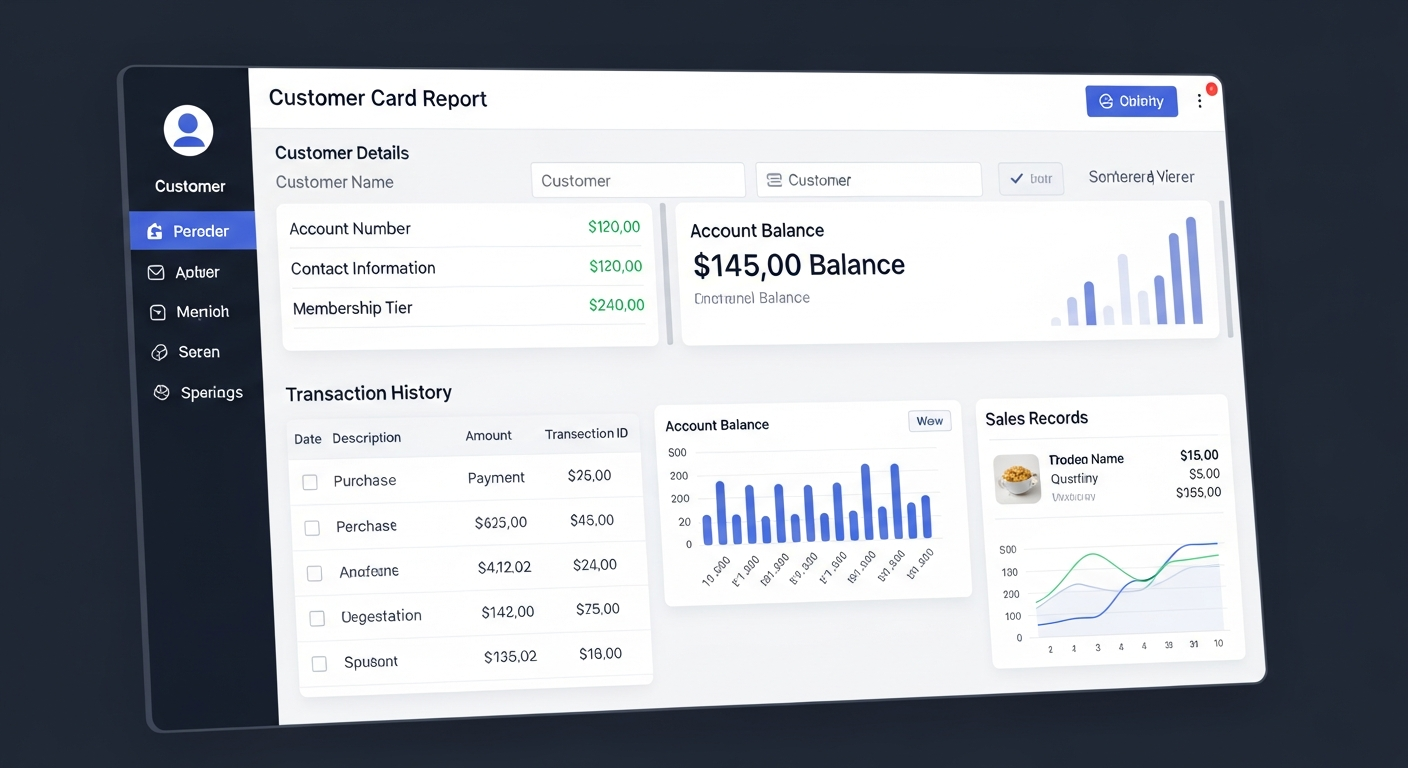
👤 Customer Card Report
Build stronger customer relationships with complete transaction visibility
- Full customer transaction history at your fingertips
- Track sales, returns, payments, and balances
- View complete purchase history with details
- Powerful tool for credit decisions
✨ All Reports Feature
Bilingual Support
Full English and Arabic with professional RTL layouts
PDF Export
Professional documents ready for sharing or printing
Real-Time Data
Always reflects your latest transactions
Mobile Friendly
Access reports from any device
📊 Advanced Data Visualization Across Every Report
Our system features beautiful, interactive pie charts that bring your financial and inventory data to life
📈 Dashboard
Visual breakdown of Assets vs. Liabilities with real-time financial position insights
📊 Income Statement
Pie chart showing Revenue vs. Expenses breakdown to understand your profitability mix
💰 Balance Sheet
Dual pie charts displaying Assets, Liabilities, and Equity distribution for complete financial clarity
📦 Stock Report
Intelligent stock status distribution showing In Stock, Low Stock, and Out of Stock items at a glance
🏪 Item Card
Multi-store stock distribution pie charts to track inventory across all your locations
🤝 Vendor Card
Purchases vs. Returns breakdown to visualize supplier performance and trends
⏰ Aging Report
Interactive aging bucket distribution (Current, 0-30, 31-60, 61-90, 90+) for receivables and payables
🤖 AI Report Builder
Dynamic pie charts generated from your custom natural language queries for unlimited analytical possibilities
✨ All Charts Include
📱 Responsive Design
Perfect rendering on mobile devices and desktop screens
🌍 Bilingual Labels
Full English and Arabic with professional RTL layouts
✨ Smooth Animations
Smooth transitions and interactive tooltips that respond to user interaction
🌙 Theme-Aware Colors
Automatic light/dark mode colors that adapt to user preference
📊 Percentage Breakdown
Clear percentage distribution visible at a glance
📄 PDF Export
Export all charts with full preservation in PDF format
💼 Global Payroll Module - 6 Countries
Complete payroll compliance for Egypt, Saudi Arabia, UAE, USA, UK, and Germany
Automated Payroll with Global Tax Compliance
Run payroll for employees across 6 countries with automatic tax calculations, compliance with local regulations, and seamless accounting integration.
Automated Tax Calculations
Country-specific tax rates and deductions automatically applied
Multi-Currency Support
Pay employees in their local currency with real-time conversion
Automatic Journal Entries
Payroll automatically posts to accounting with proper GL codes
Bilingual Payslips
Generate payslips in English and Arabic with full RTL support
6-Country Compliance
🇪🇬 Egypt
- • WPS (Wage Protection System) compliance
- • Social Insurance (GOSI) deductions
- • Health Insurance integration
- • Progressive tax calculations
🇸🇦 Saudi Arabia
- • GOSI (General Organization for Social Insurance)
- • Zakat and Saudi tax compliance
- • End-of-service benefit calculations
- • Expatriate vs. National rates
🇦🇪 UAE
- • EOSB (End-of-Service Benefits)
- • VAT ready for future compliance
- • Labor Law wage deductions
- • Accommodation and allowances
🇺🇸 USA
- • FICA (Social Security + Medicare) deductions
- • Federal Income Tax withholding (FITW)
- • State-specific tax calculations
- • I-9 verification ready
🇬🇧 UK
- • PAYE (Pay As You Earn) Tax
- • National Insurance contributions
- • Workplace Pension (Auto-Enrolment)
- • RTI (Real Time Information) ready
🇩🇪 Germany
- • Income Tax & Solidarity Surcharge
- • Social Insurance (SV) deductions
- • Church Tax (Kirchensteuer)
- • Mini-Job compliance
Advanced Payroll Features
Payroll Dashboard
Real-time payroll metrics and pending payments overview
Bank Transfers
Direct bank transfer integration with compliance validation
Email Payslips
Automated payslip delivery via email in employee's language
Payroll Reports
Detailed payroll analytics and compliance reporting
Audit Trail
Complete payroll history with change tracking for compliance
Flexible Templates
Customizable payroll structures for different employee types
AI-Powered Chart of Accounts
Stop hunting for account types, codes, and parent accounts. Just describe what you need — in English or Arabic, by typing or by voice — and the AI builds it for you.
Add Any Account in Plain Language
Tell APS what account you want — "Petty cash for the main office", "Loan from Bank ABC", "اضف حساب عملاء" — and the AI designs it for you: type, nature, code, parent account, and bilingual name, all in one step.
Picks the Right Account Type
Assets, Liabilities, Equity, Income, or Expenses — automatically determined from your description
Sets the Correct Nature
Debit or Credit, derived from the account type so it's always right
Suggests the Next Free Code
Reads your existing codes and proposes the next available one in the correct range (1xxx assets, 2xxx liabilities…)
Bilingual Naming
Generates a clean account name in both English and Arabic automatically
Master vs. Subaccount Detection
Generic wording like "clients account" → master; a specific name like "client Yasser" → subaccount placed under the correct parent
Preview Before Save
See the suggested code, name, type, nature, and explanation — nothing is created until you click Create
The "Missing Master" Superpower
Ask for a subaccount whose master doesn't exist yet — e.g. "add client Yasser" with no Customers master — and the AI detects this and creates both accounts in one click.
- 1Detects a Customers master should exist
- 2Proposes creating it — e.g. 1100 – Customers / العملاء
- 3Shows both accounts in preview before anything is saved
- 4Creates master first, then subaccount — all in one click

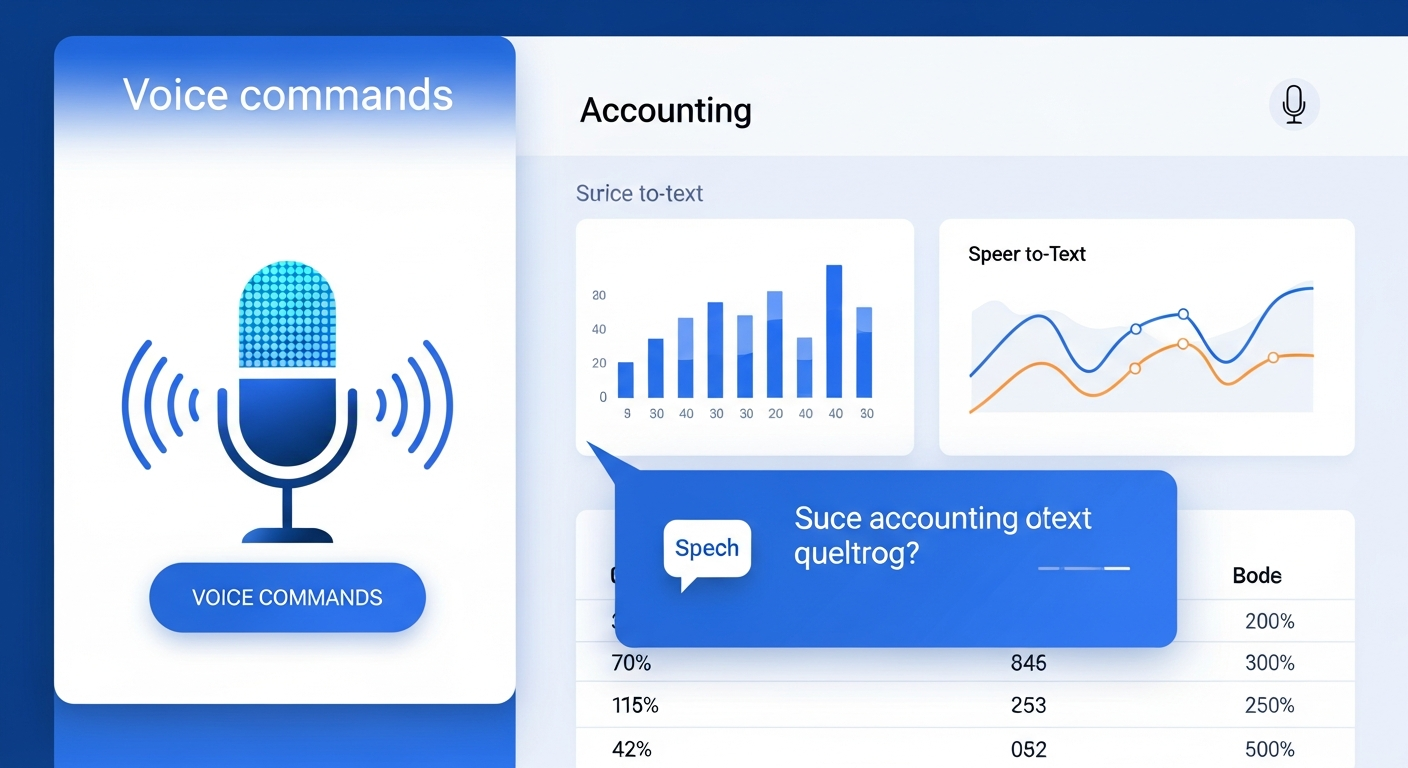
Voice Input
Tap the mic and dictate the account in English or Arabic
Preview First
Nothing is saved until you review and confirm the suggestion
Bilingual Examples
Click an example to load it — English or Arabic, your choice
Safe by Design
All suggestions pass the same validation as the manual Add Account form
Menu Security
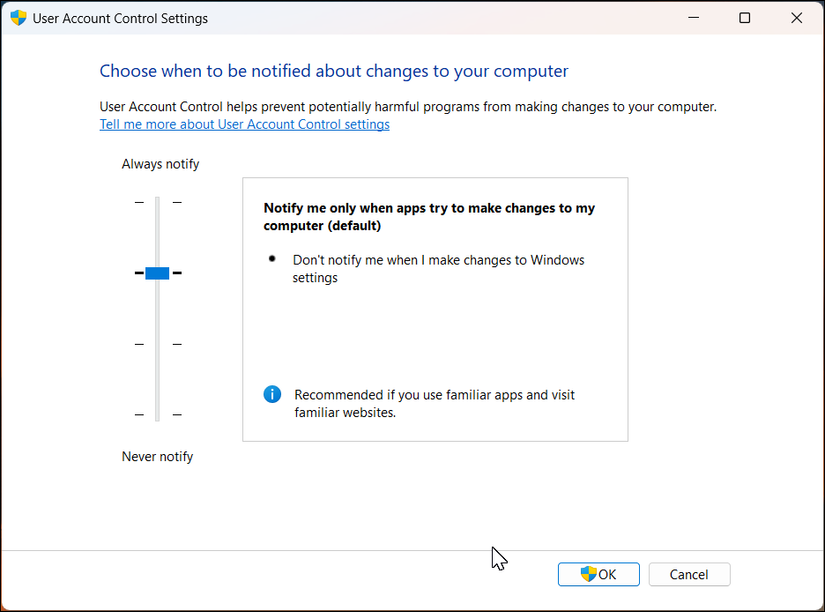
Administrators can show or hide any module — Accounting, Inventory, Payroll, AI Reports, and more — on a per-user basis. Changes apply immediately without requiring the member to log out.
- Show or hide any module per user — Accounting, Inventory, Payroll, AI Reports
- Changes apply instantly — no logout required
- Different menus for different roles and responsibilities
- Prevent unauthorized access to sensitive financial sections
Shared Workspace Access Control
Set an expiry date when inviting anyone into your workspace. When the deadline passes, they are locked out instantly. You can also revoke access manually at any time with a single click. If access ends while a member is logged in, the system automatically switches them back to their own workspace and notifies them clearly — in English or Arabic.
- Set automatic expiry dates on any team member's access
- Revoke access manually with a single click at any time
- Auto-eject active sessions the moment access expires
- Bilingual notifications (EN/AR) when access ends — no confusion
🥽 AR Barcode Stocktake
A live camera-based stock counting tool built into APS. Scan barcodes with any phone, tablet, or Android smart glasses — no dedicated scanner hardware required.



Live camera barcode scanning — continuous, no tap needed
Instant item lookup: name, code, system qty, unit of measure
Live variance display — green surplus, red shortage, exact match
Multi-store support with auto-selected default branch
One-tap save posts a complete stock count record with audit trail
Works on any phone, tablet, or Android smart glasses
Compatible AR Smart Glasses
Because the feature runs entirely in the browser, it works on any Android-based smart glasses — no app install required.
RealWear HMT-1 / Navigator 500
Heavy industrial warehouses — voice-controlled, dust & water resistant
Vuzix M400 / Blade 2
General warehouses — lightweight, HD camera, full Android
Google Glass Enterprise 2
Retail environments — slim form factor
How It Works
Open the stocktake screen and select your store
Point the camera at any barcode — item card slides up instantly
Type the counted quantity and press Enter or tap Confirm
Tap Save — a complete stock count record is posted to APS
Key Benefits
- No dedicated scanner hardware — any device you already own
- Zero paper — counts go directly into APS, no re-entry
- Speed — a full store count that takes hours on paper takes minutes
- Accuracy — spot discrepancies at the moment of counting
- Hands-free option — smart glasses remove the ergonomic bottleneck
- Immediate audit trail — timestamped, store-scoped, in stock count module
📵 Offline POS Mode
Never Lose a Sale
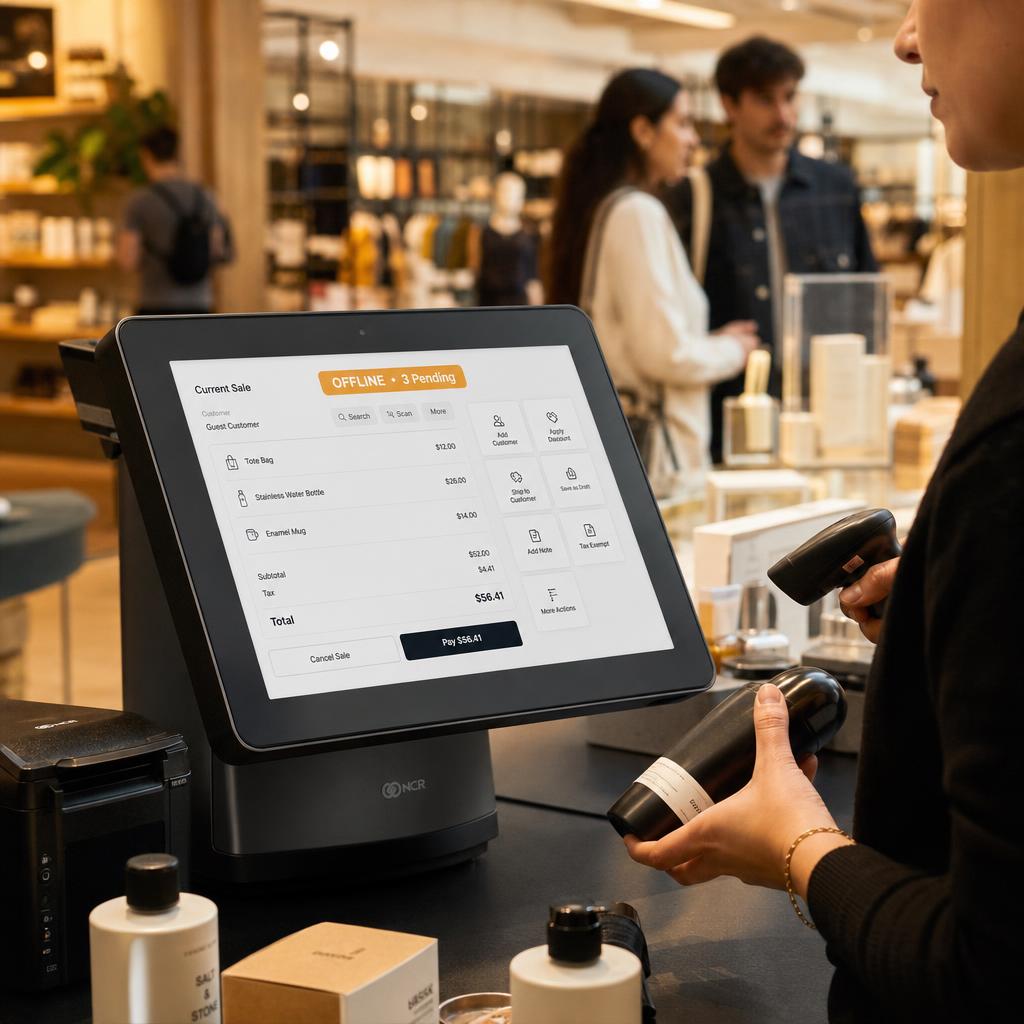
Internet outages happen — at the register, in the mall, during peak hours. Until now, every APS cashier screen went dark the moment the connection dropped.
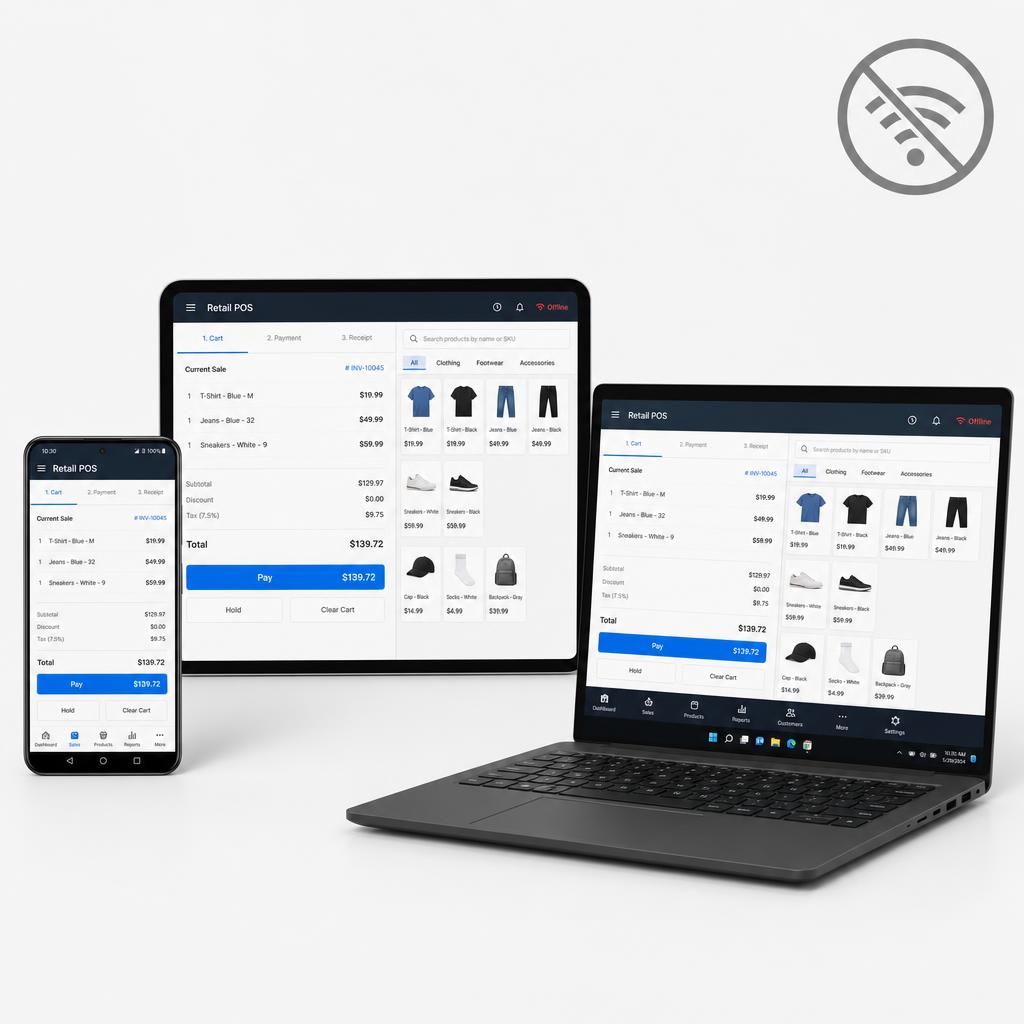
APS now keeps your cashier running even with no internet. Your staff keeps selling. Your customers keep checking out. Nothing stops.
While Offline
- Cashier screen loads and operates normally from a local snapshot cached on the device
- Items, prices, and all product data are available without a connection
- Sales are completed and receipts are printed exactly as usual
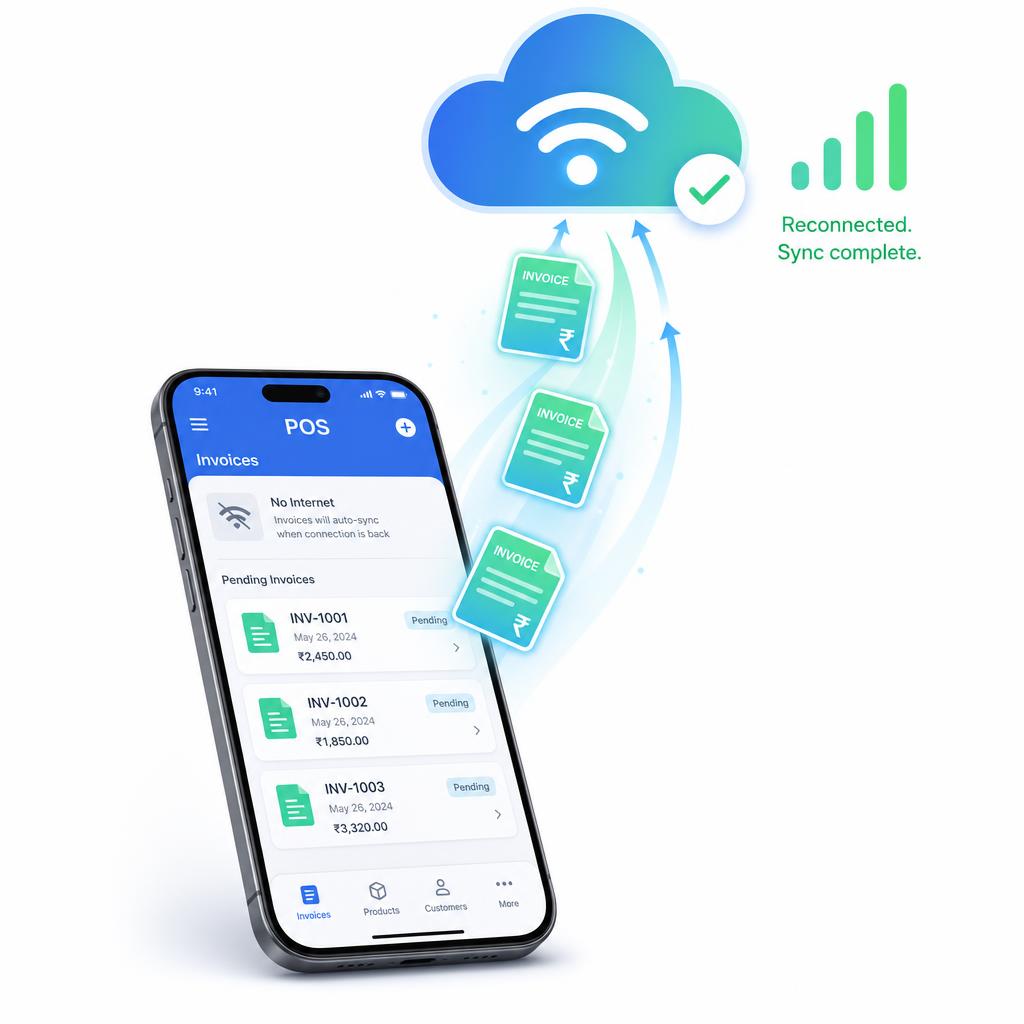
- Each invoice is saved securely on the device with a temporary number
- Clear "Offline — X pending" badge appears so staff know they are disconnected
When Internet Returns
- Queued invoices upload to the server automatically — no action needed from staff
- Each sale is protected by a unique ID — never duplicated even if sync retries
- Pending badge disappears once everything is synced
- Full invoice numbers replace the temporary ones on the server record
What This Covers
- Full POS selling: items, quantities, discounts, payment methods
- Receipt printing (thermal, Bluetooth, print agent)
- Automatic background sync on reconnect
- Duplicate-safe: the same invoice can never be posted twice
- Works on any device running APS as a PWA (Android, iOS, Windows)
What It Does Not Cover
- Accounting entries and journal posting (require live server — by design)
- Fresh login without prior session (authentication always requires the server)
How to Get Started
Install APS on your device as a PWA (Add to Home Screen), log in once while online, and offline mode is active automatically — no configuration needed.
🛍️ Simple Inventory Experience
Run your shop with a simpler, faster menu
APS Simple Mode gives inventory businesses an easier, shop-first workspace. The most important daily actions are placed first, with clear language and colourful visual tiles.

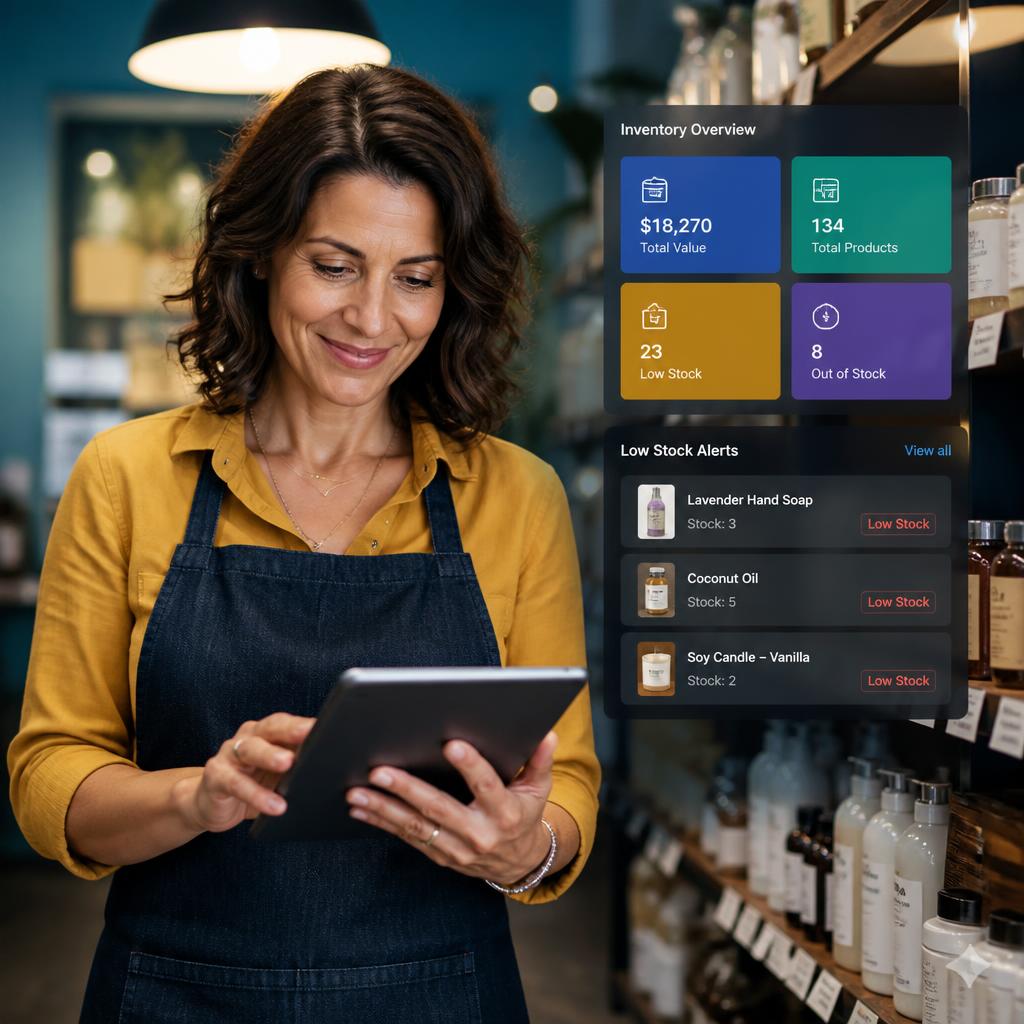
My Shop
Quick access to
POS Cashier
Sales
Purchases
All Transactions
Items
Customers
Suppliers
Stock & customer reports
Built for everyday business work
Large dashboard actions for Sell Now and Sales Invoice, plus today’s sales and low-stock information directly on the Simple dashboard.
Simple for staff, secure by design
Accounting tools remain available for businesses that need them without getting in the way of daily shop work. Simple Mode respects the same menu security and role permissions as Advanced Mode.
Users only see pages, reports, and shortcuts they are authorized to access.
Whether you run a store, warehouse, trading company, or small business, APS Simple Mode helps staff focus on selling, buying, checking stock, and serving customers.
📊 Custom Excel A4 Invoice Templates
Design your invoices your way with Excel
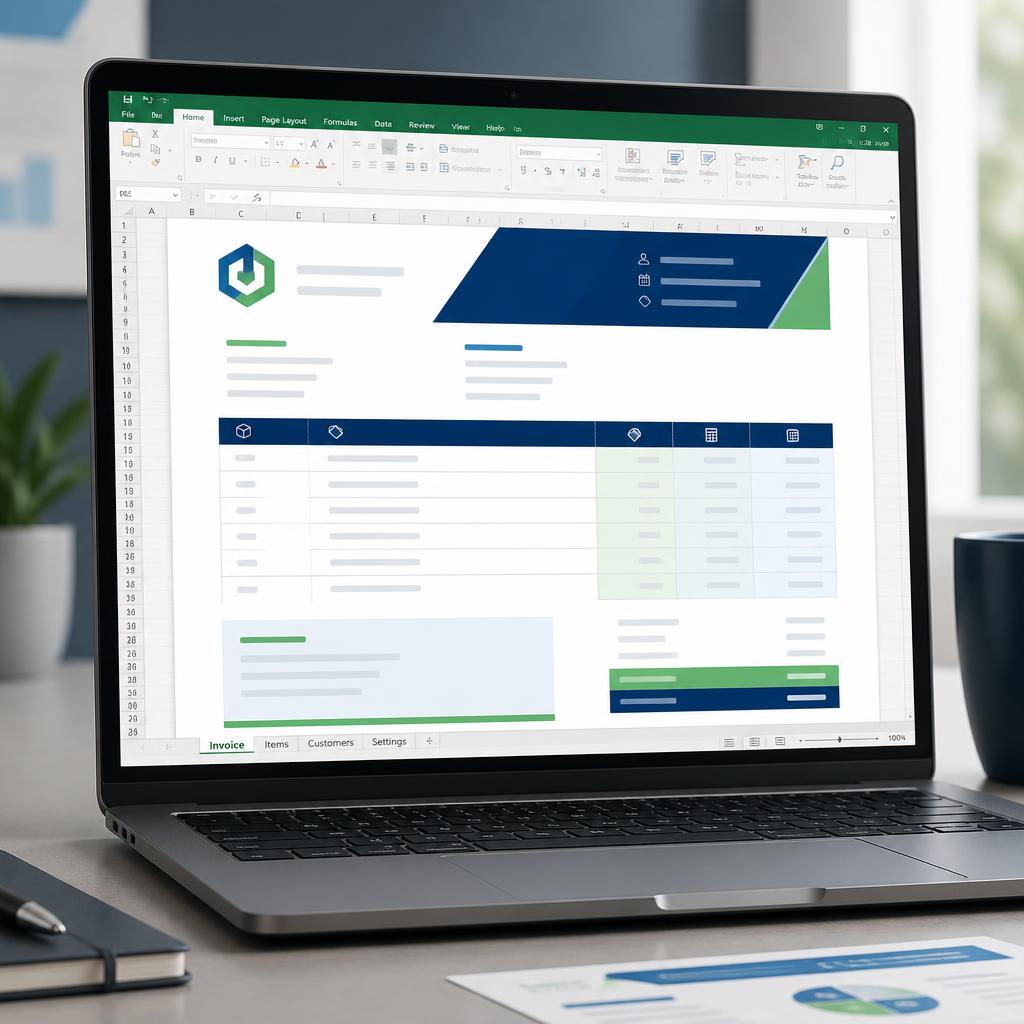
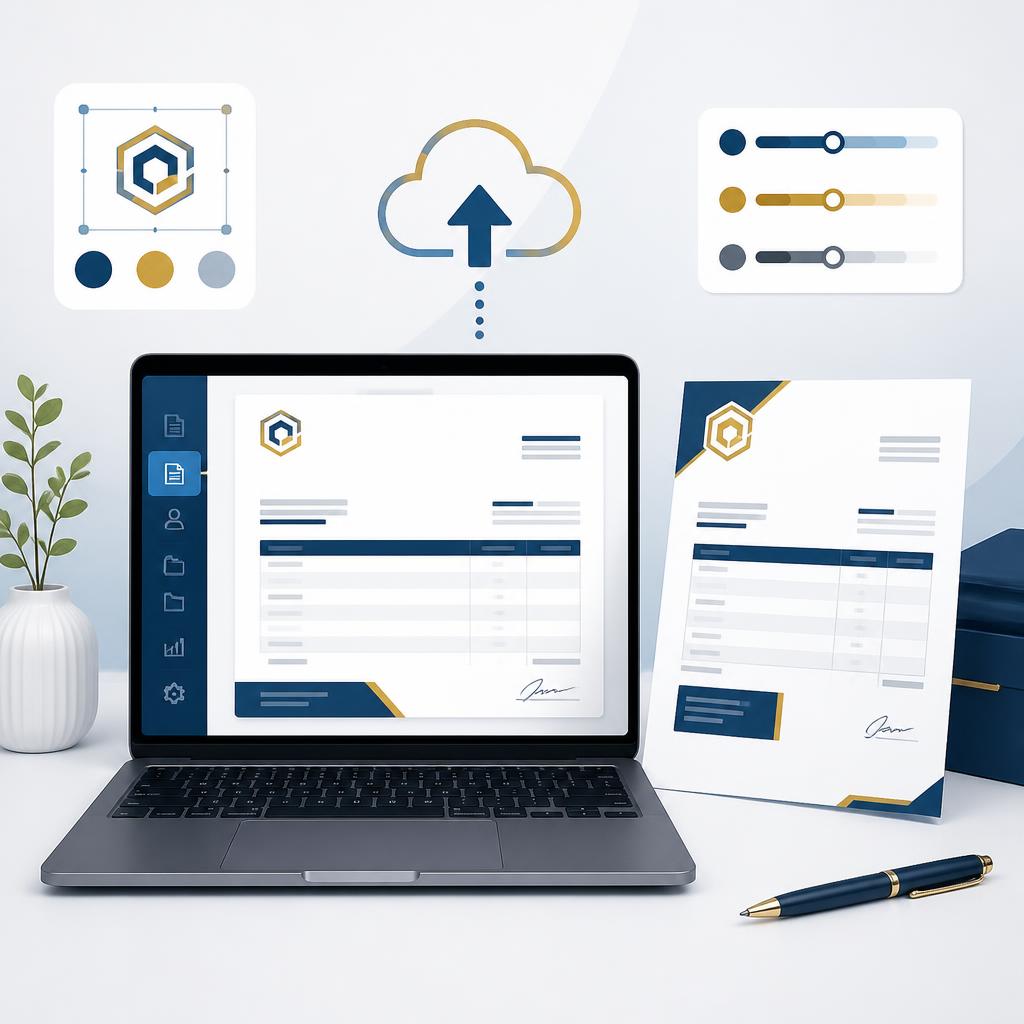
Create a custom A4 invoice design using Microsoft Excel. Start with the APS template, change the design in Excel, then upload it back to APS while transaction data stays automatic.
What’s included
- Download a ready-to-edit APS A4 Excel invoice template
- Add your logo, company information, branding, colours, fonts, borders, spacing, and layout
- Upload one shared Excel template for the company
- Use the same template for Sales Invoices and Sales Return Invoices
- APS automatically changes the invoice title for sales or returns
- APS fills in all transaction data: customer, items, prices, discounts, tax, and totals
- Invoice rows expand automatically while keeping the template formatting
- The approved template is shared through company settings for authorized users
Keep every existing print option
The Excel option is additional. APS keeps the standard A4, company header, plain-paper, custom header image, and POS receipt formats available.
How it works
- 1.Open a sales invoice or sales return
- 2.Choose Print Invoice
- 3.Download the APS A4 Excel template
- 4.Edit the template in Microsoft Excel
- 5.Upload the completed template once for the company
- 6.Choose Create Excel Invoice whenever you need the customized design
Ready to Experience These Features?
Try our live demo and see how APS Accounting & Stock Control can transform your business
Try Live Demo