Two major new modules: collect invoice payments online via Tap Payments, and reconcile your bank statements against your books — all in one bilingual system.
APS now integrates natively with Tap Payments — the leading payment gateway across the Gulf and MENA region. Collect invoice payments online directly from APS without switching to any external system.
Tap Payments is the premier payment gateway for the Gulf Cooperation Council (GCC) and broader MENA region — the only gateway that supports Mada (Saudi Arabia), KNET (Kuwait), and Fawry (Egypt) natively alongside Visa and Mastercard.
With APS's native integration, your customer receives a payment link directly from their invoice — no login required, no redirect confusion, and your books update automatically the moment they pay.

Generate a secure payment link from any sales invoice — one click
Share via WhatsApp, email, or SMS — no app required on customer's side
Customer pays on any device — no account or registration required
APS auto-creates a Receipt Voucher and posts GL entry on payment
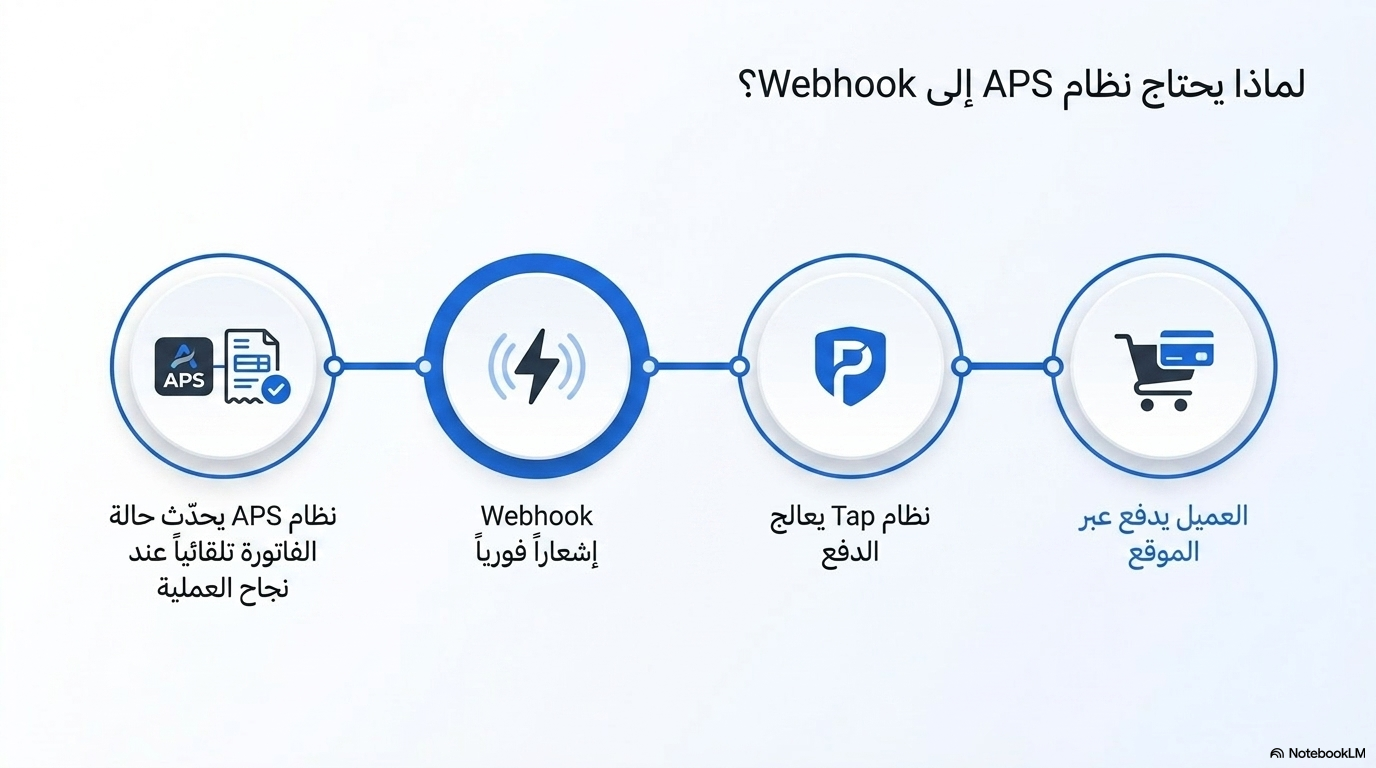
Webhook-based: payment confirmation is instant and fully automatic
Per-company API keys, GL account mapping, and default currency
7-step bilingual setup wizard built into Settings
PCI-DSS Level 1 compliant — no card data ever touches APS servers
Accountant creates invoice in APS
Click 'Generate Payment Link' in the invoice
Share the link via WhatsApp, email, or SMS
Customer opens link on any device & pays securely
Tap webhook instantly notifies APS of successful payment
Receipt Voucher + GL entry (Dr Bank / Cr AR) posted automatically
First-time setup guided by a built-in bilingual wizard
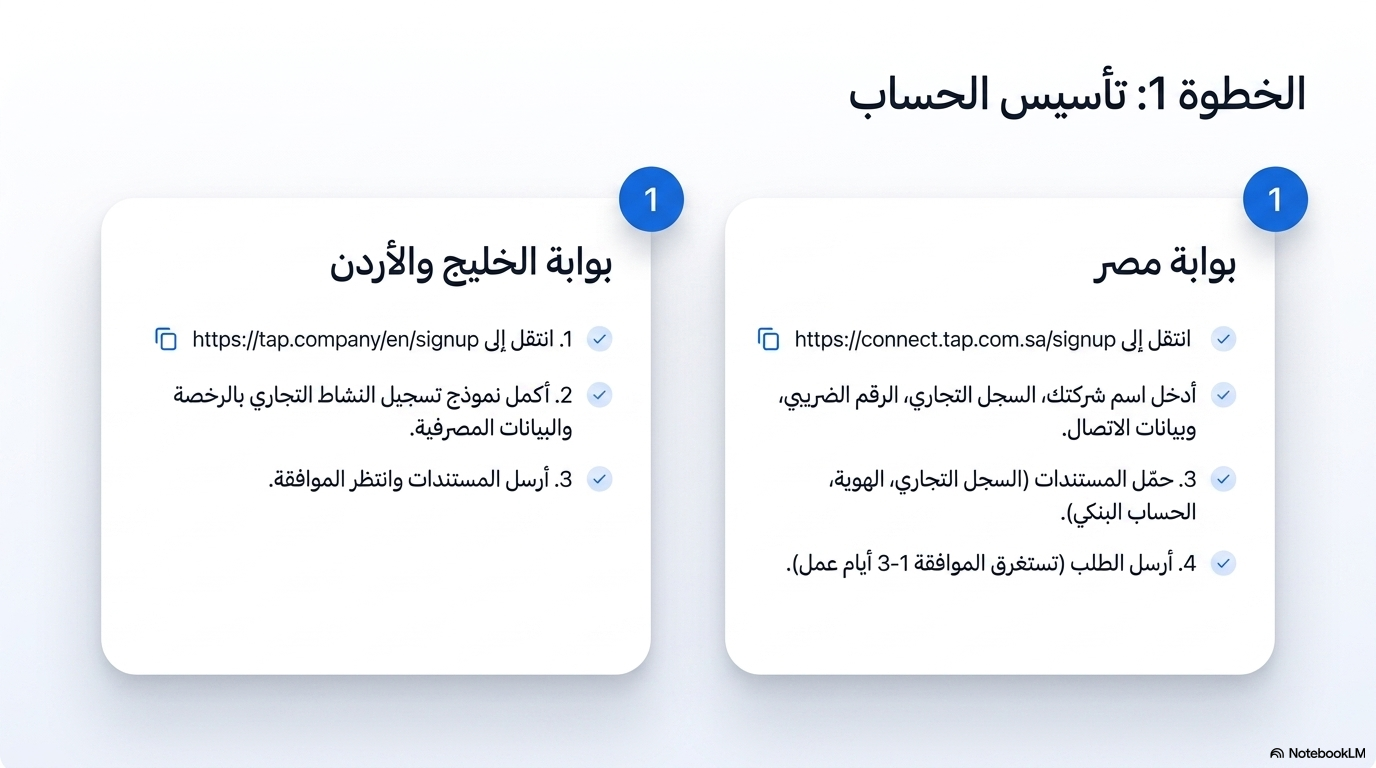
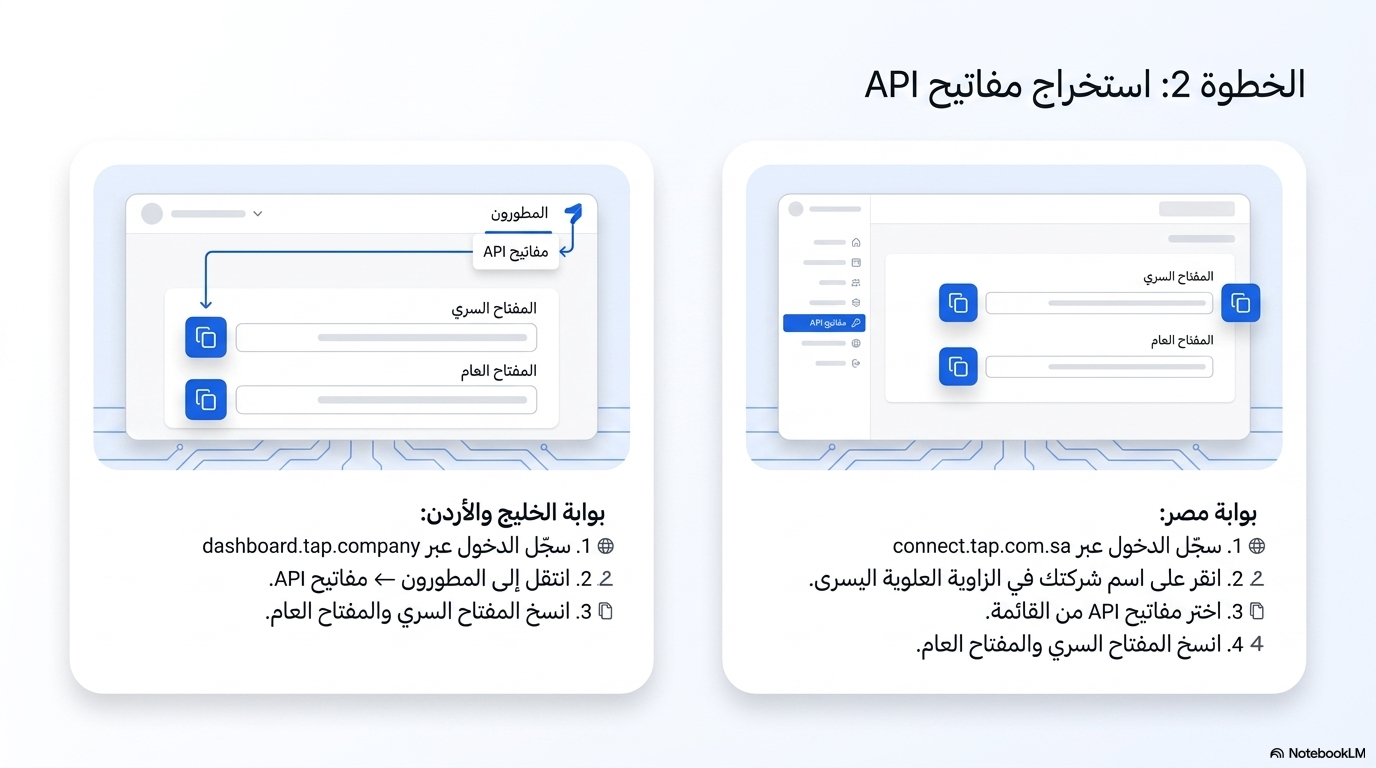
Create Tap account at tap.company and get API credentials
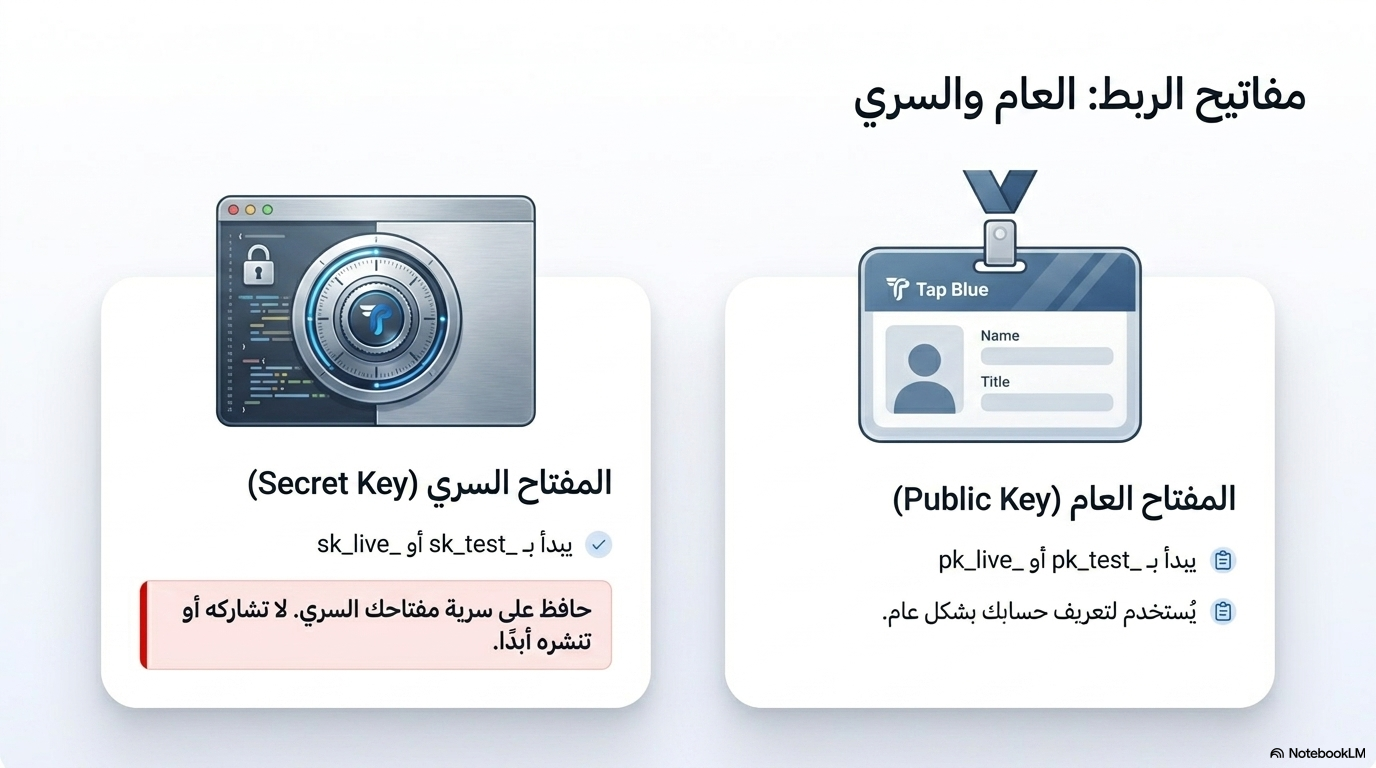
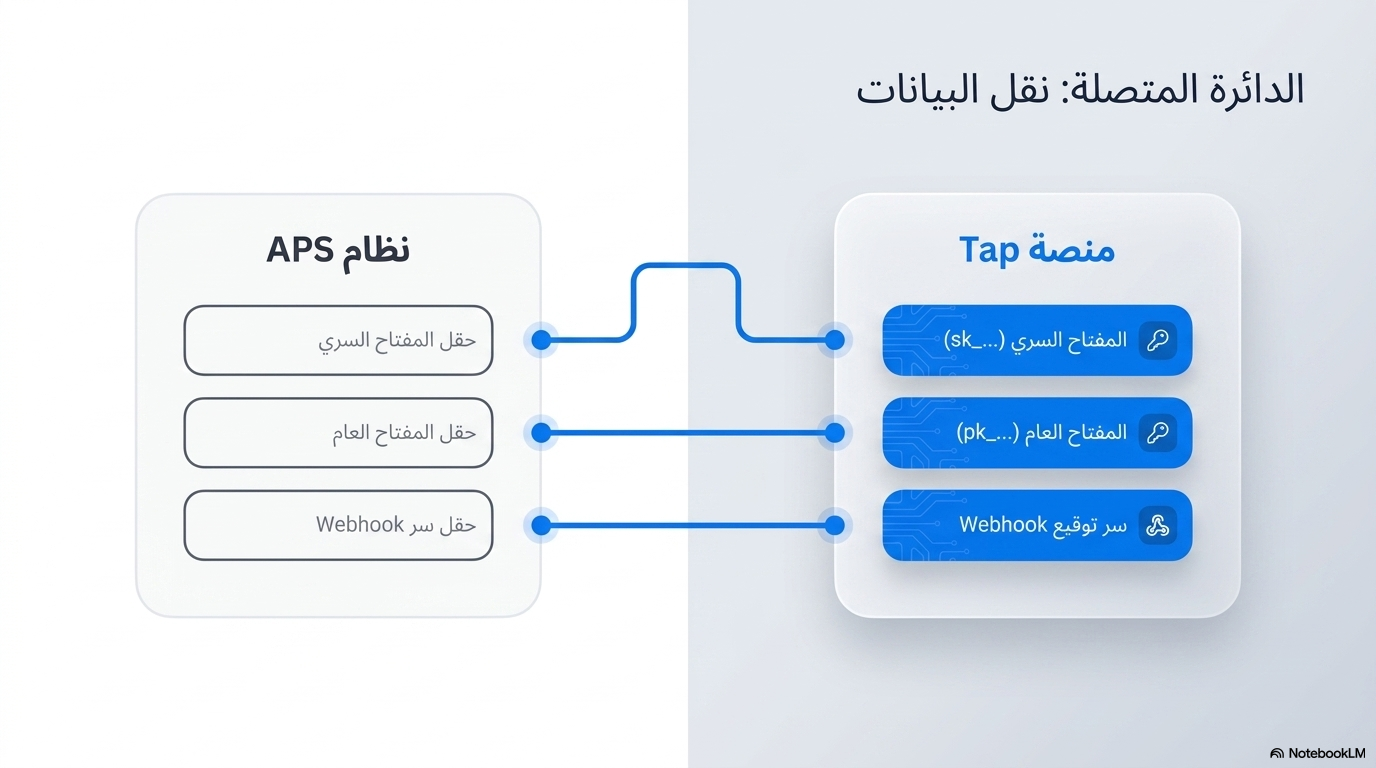
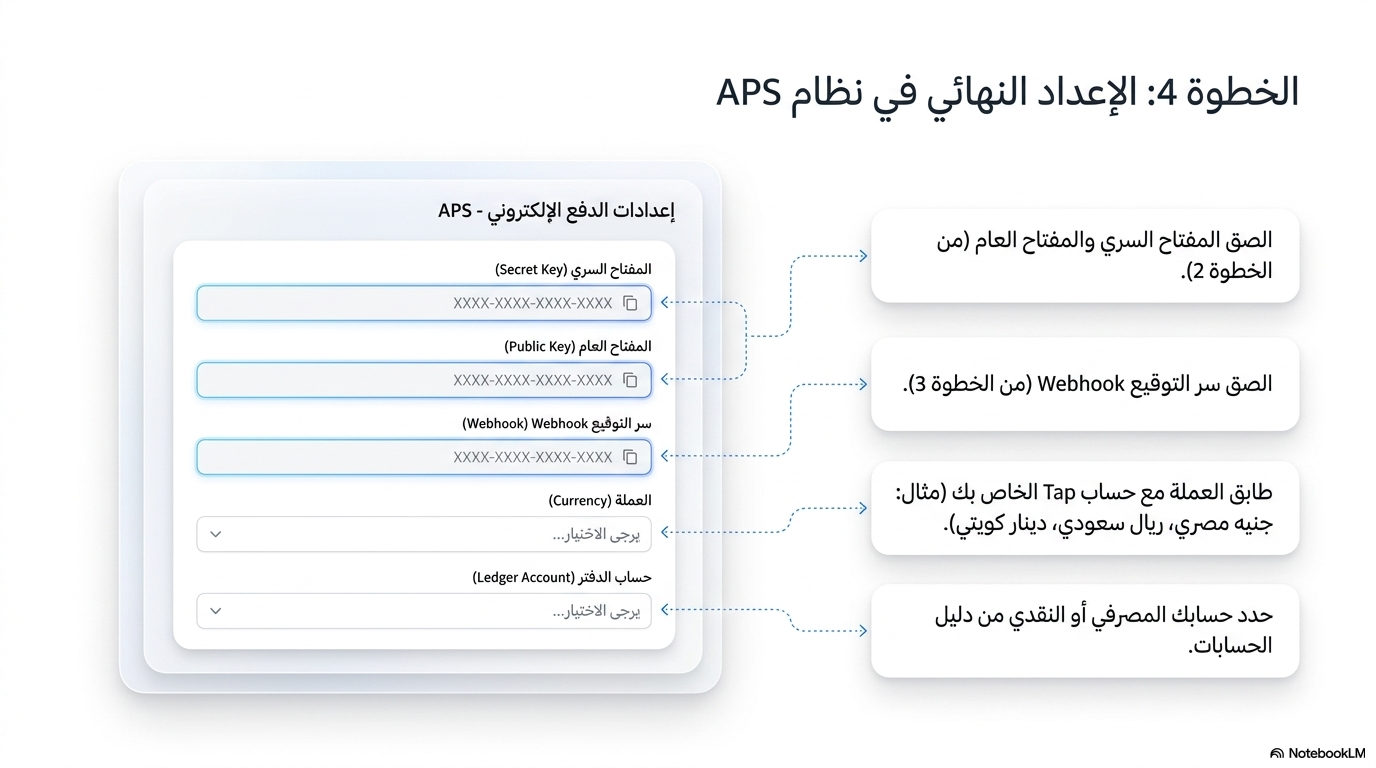
Enter Secret Key and Public Key — stored encrypted per company
Select default currency (SAR, AED, KWD, EGP, etc.)
Map GL accounts — which bank account to debit, which AR to credit
Test with Tap's test card number to verify end-to-end
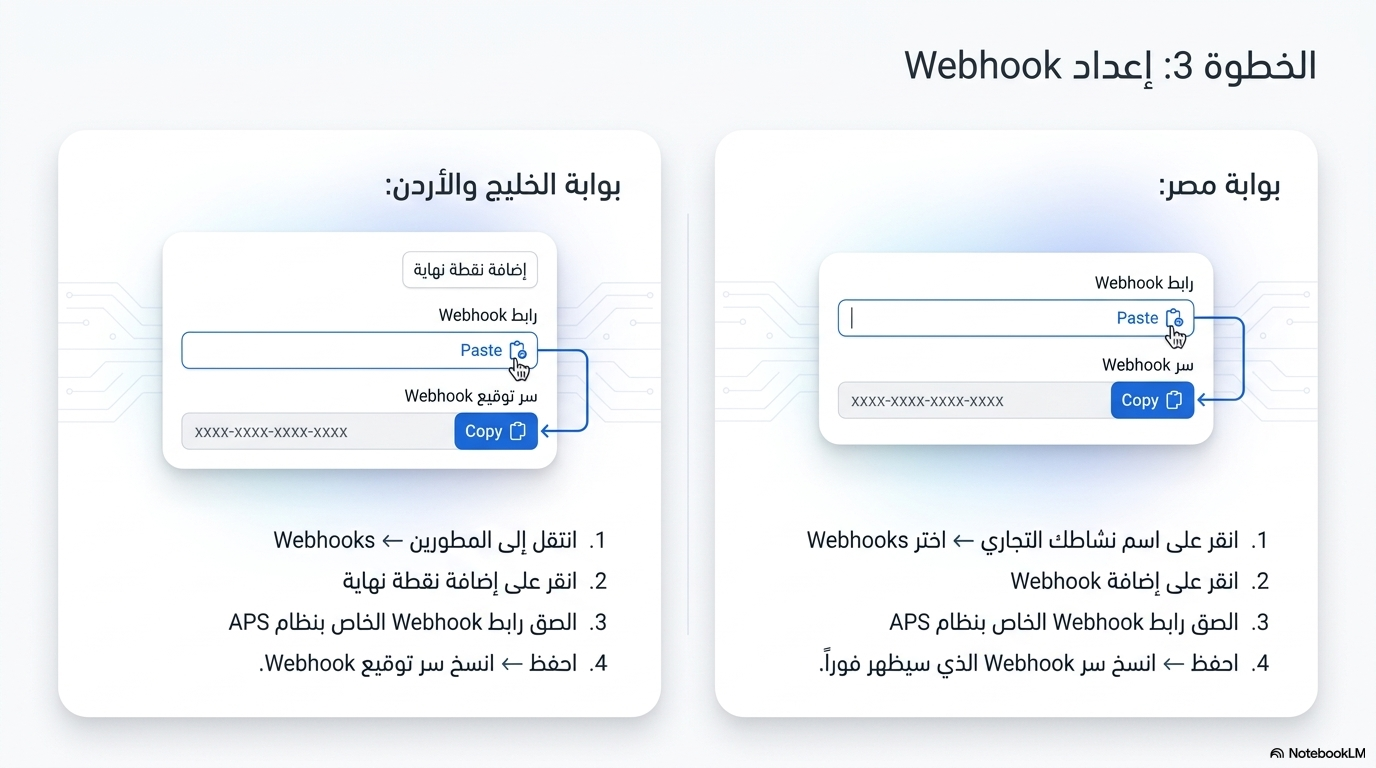
Copy APS webhook URL into Tap Dashboard → Developers → Webhooks
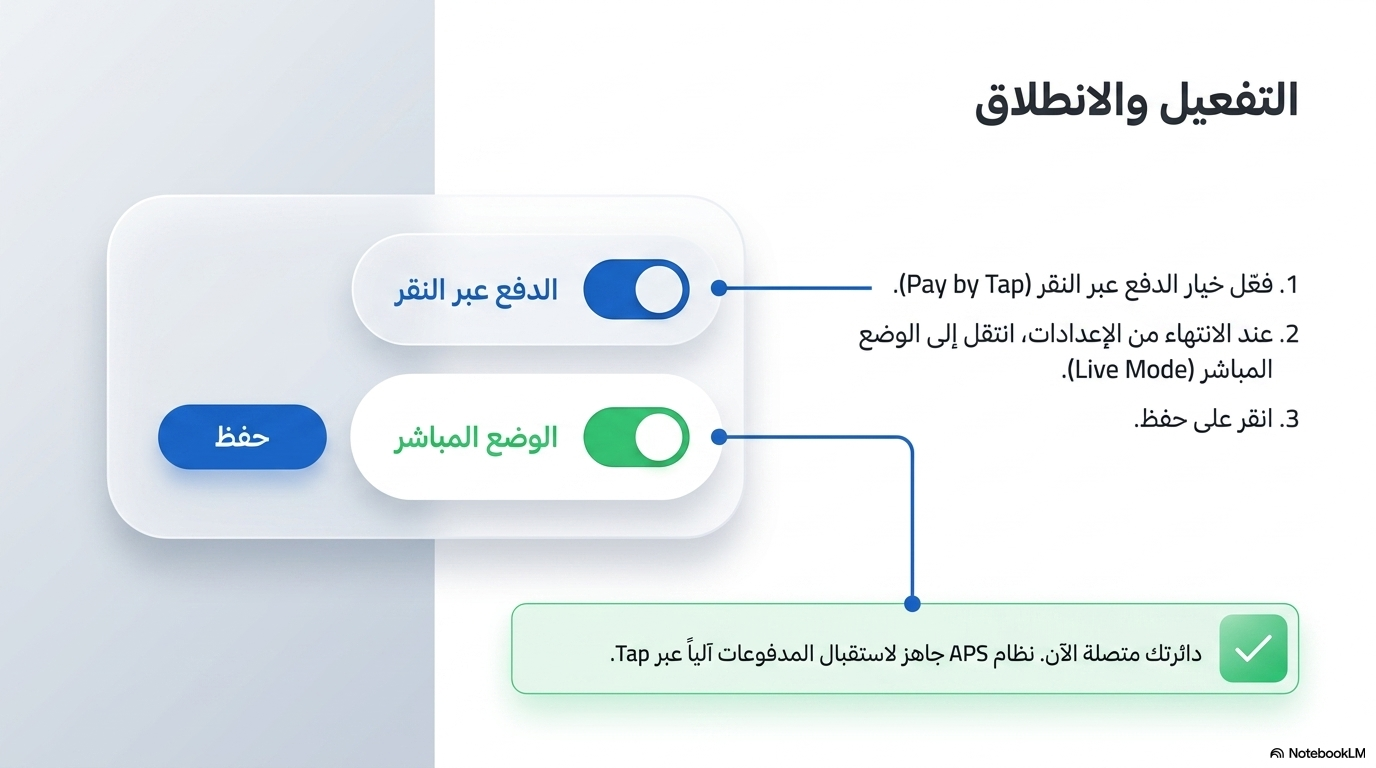
Switch to live mode — customers can now pay online ✓
Import your bank statements, auto-match transactions to existing journal entries, create new entries for unmatched lines, and lock reconciled periods — comparable to Odoo.
Matching bank lines to journal entries — auto-match suggestions appear first
Import bank statements: manual entry, CSV paste, or Tap API sync
Auto-match engine — suggests GL entries by amount & direction
One-click Create Journal Entry for any unmatched bank line
Ignore / Exclude lines (bank fees, internal transfers already recorded)
Unmatch and revert any confirmed match before statement is locked
Lock statement when fully reconciled — protects audit trail permanently
Live progress bar and % completion shown in real time
Full statement history — reconciled periods visible at a glance
Enter transactions one row at a time using the built-in grid. Useful for small transaction counts or correction entries.
Paste exported CSV data from any bank. Supports two formats: (Date, Description, Amount) or (Date, Description, Debit, Credit).
If Tap Payments is configured, one click imports all Tap settlement payouts for a selected date range directly — no CSV needed.
Link the bank line to an existing journal entry. Auto-match suggestions appear first, sorted by amount proximity.
For transactions with no existing entry — APS pre-fills the bank line, date, and amount. You only pick the offsetting account.
Mark a line as ignored — no GL entry needed. Common for internal transfers already recorded or bank charges posted elsewhere.
For the full comparison table see Competitive Analysis → Section 11
| Feature | APS | Odoo |
|---|---|---|
| Tap Payments native integration (Mada, KNET, Fawry) | YES | NO |
| Payment link from invoice | YES | YES |
| Fully Arabic payment page for customers | YES | NO |
| Auto journal entry on payment | YES | YES |
| CSV bank statement import | YES | YES |
| Auto-match bank lines to journal entries | YES | YES |
| Tap API direct sync (no CSV) — APS exclusive | YES | NO |
| Arabic RTL reconciliation interface — APS exclusive | YES | NO |
Both features are live now — available in all APS editions at no extra charge.